What Is Arm Keil?
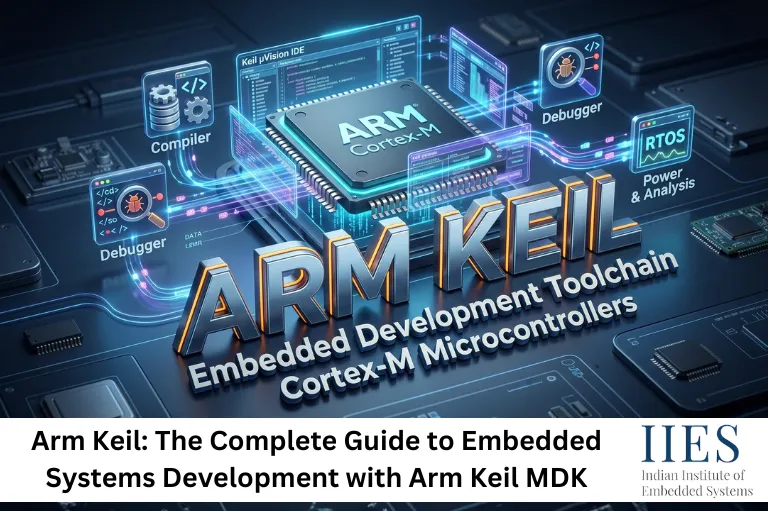
Arm Keil is a comprehensive software development environment built for embedded systems engineering. At its core, it combines three critical elements into a single, cohesive platform: an Integrated Development Environment (IDE), a production-quality C/C++ compiler, and essential middleware components that are needed for building real-world embedded applications.
The platform is maintained by Arm Holdings and is deeply integrated with the Arm Cortex-M microcontroller ecosystem. This means developers working with popular MCU families from manufacturers like STMicroelectronics, NXP, Texas Instruments, and Microchip get native, optimized support out of the box.
What makes Arm Keil especially relevant today is that it is not just a Windows tool stuck in the past. Arm Keil MDK v6 has been rebuilt to be cross-platform, cloud-compatible, and developer-friendly across modern workflows.

Understanding Arm Keil MDK: The Microcontroller Development Kit
Arm Keil MDK, short for Microcontroller Development Kit, is the flagship product in the Arm Keil ecosystem. It is widely regarded as the most comprehensive software development solution available for Arm-based microcontrollers.
What the MDK includes:
- uVision IDE: A feature-rich editor and project manager designed specifically for embedded work
- Arm Compiler 6: Based on LLVM/Clang, this compiler produces highly optimized machine code for Arm Cortex-M targets
- CMSIS (Cortex Microcontroller Software Interface Standard): Vendor-independent hardware abstraction for Arm Cortex-M
- MDK-Middleware: Pre-built, tested components for USB, Ethernet, file systems, and graphics
- Pack Installer: A centralized tool for managing device support packs and software components
The MDK essentially eliminates the need to stitch together multiple third-party tools. Everything is integrated, tested together, and maintained by Arm.
One of the most significant recent developments in the Arm Keil ecosystem is the availability of Arm Keil MDK v6 Community Edition at no cost for non-commercial use. This has been a game-changer for students, hobbyists, makers, and academic institutions.
The Community Edition provides:
- Full access to the Arm Compiler 6 toolchain
- uVision IDE with debugging and simulation capabilities
- CMSIS-Pack based device and board support
- Cross-platform support for macOS, Linux, and Windows
- Support for CLI (command-line interface) and GUI workflows, making it suitable for both desktop development and CI/CD pipeline integration
Previously, professional-grade embedded development tools came with steep licensing costs that put them out of reach for learners and small teams. The free Community Edition changes that calculus entirely, making Arm Keil MDK accessible from the classroom to the hackerspace to the startup.
How Arm Keil Compares to Other IDEs
This is one of the most frequently asked questions by developers entering the embedded space. Should you use Arm Keil, or would something like STM32CubeIDE, PlatformIO, or Eclipse-based environments serve you better? Here is an honest breakdown.
Feature | Arm Keil MDK | STM32CubeIDE | PlatformIO | Arduino IDE |
Cortex-M Support | Comprehensive | STM32 focused | Multi-vendor | Limited |
Compiler Quality | Arm Compiler 6 (LLVM) | GCC | GCC/Clang | GCC |
Debugging Tools | Advanced (JTAG/SWD) | Good | Good | Basic |
Middleware | Yes (MDK-Middleware) | STM32 HAL only | Community libs | Limited |
Free Tier | Yes (Community Ed.) | Yes | Yes (core) | Yes |
Cross-Platform | macOS, Linux, Windows | macOS, Linux, Windows | All platforms | All platforms |
Learning Curve | Moderate | Moderate | Low | Very Low |
Professional Use | Very High | High | Moderate | Low |
What this table shows is that Arm Keil MDK holds a clear advantage in professional-grade development environments, particularly when working with production code that demands optimized binary output, reliable debugging, and vendor-independent hardware support. For beginners starting with a specific vendor’s MCU, vendor-specific IDEs can be easier to set up initially, but developers often migrate to Arm Keil MDK as projects grow in complexity.
Key Advantages of Arm Keil for Embedded Systems Development
1. Comprehensive, All-in-One Solution
Unlike some IDEs that require you to manually configure compilers, linkers, debug servers, and hardware abstraction libraries, Arm Keil MDK bundles everything into a single installation. This is not a minor convenience. In embedded development, mismatched toolchain versions and configuration errors are a real source of project delays.
2. Best-in-Class Arm Cortex-M Support
Arm Keil was designed by the same company that designed the Cortex-M core itself. This means the compiler, the CMSIS headers, and the debug infrastructure are built to take advantage of every architectural feature of the target hardware, from memory protection units to low-power modes to hardware floating-point units.
3. Readable, Learner-Friendly Environment
The uVision IDE includes a project template system, integrated documentation, and a simulated environment that lets you test code without physical hardware. For learners, this significantly reduces the barrier to understanding concepts like interrupt handlers, DMA configuration, and peripheral register access.
The Arm Keil MDK v6 Community Edition makes professional tooling accessible for makers, academics, students, and open-source contributors who cannot justify a commercial license. This has had a direct impact on the quality of educational content and open-source embedded projects available in the community.
5. Cross-Platform Workflow Flexibility
Modern development teams rarely operate on a single operating system. Arm Keil MDK v6’s support for macOS, Linux, and Windows, combined with CLI support, means the same toolchain can run on a developer’s local machine and in a continuous integration pipeline without modification.
Real-World Use Cases
Academic lab environments: Universities use Arm Keil MDK in electronics and embedded systems courses because students can install the Community Edition on their own machines and work with the same toolchain used in industry.
IoT firmware development: Teams building sensor nodes, edge devices, and low-power wireless products rely on Arm Keil’s compiler optimizations to squeeze maximum battery life out of Cortex-M0+ and Cortex-M4 based designs.
Safety-critical systems: The Arm Compiler 6 supports functional safety standards, making Arm Keil MDK suitable for projects targeting IEC 61508 or ISO 26262 compliance in industrial and automotive applications.
Prototyping and maker projects: With Cortex-M based boards like the BBC micro:bit and various Arduino-compatible boards using Arm cores, hobbyists increasingly use Arm Keil for professional-grade firmware on affordable hardware.

Getting Started with Arm Keil MDK
Getting up and running with Arm Keil MDK takes less time than most developers expect:
- Download: Visit the Arm website and download Keil MDK v6 for your operating system
- Install: Run the installer and follow the setup wizard
- Install Device Packs: Use the Pack Installer to download support for your specific MCU family
- Create a Project: Use the project wizard in uVision to scaffold a new project with your target device
- Write and Build: Write your C/C++ code, configure your build settings, and compile
- Debug: Connect your hardware debug probe (ST-Link, J-Link, or similar) and use the integrated debugger
For those without hardware, Arm Keil’s software simulation mode allows you to step through code, inspect registers, and validate logic purely in software.
Common Mistakes to Avoid
Skipping the CMSIS-Pack installation: Many beginners try to configure device support manually. The Pack Installer automates this and ensures you get the correct startup files, linker scripts, and header definitions.
Using deprecated Arm Compiler 5: MDK v6 uses Arm Compiler 6, which is significantly more optimizing and standards-compliant. Projects targeting AC5 should be migrated.
Ignoring the simulation environment: Before deploying to hardware, running code through Keil’s simulator can catch logic errors early without risking hardware damage.
Overlooking middleware components: Developers often reinvent the wheel implementing USB or FAT file system support when MDK-Middleware already provides tested, production-ready implementations.
Arm Keil in 2026: Trends and the Road Ahead
The embedded development landscape is evolving rapidly. Several trends are shaping how tools like Arm Keil MDK are being used:
CMSIS v6 adoption: The latest version of the Cortex Microcontroller Software Interface Standard expands support for multi-core Arm Cortex-M devices and tightens integration with modern RTOS environments like FreeRTOS and Zephyr.
CI/CD integration for embedded firmware: Development teams are increasingly automating their embedded build and test pipelines. Arm Keil MDK’s CLI support makes it compatible with platforms like GitHub Actions, GitLab CI, and Jenkins.
AI-assisted embedded development: Edge AI on Cortex-M55 and Cortex-M85 cores, powered by Arm’s Ethos NPUs, is an emerging frontier. Arm Keil’s deep integration with the Arm ecosystem positions it well to support these workflows through CMSIS-NN and related libraries.
Security-first firmware design: As connected devices face growing cybersecurity threats, Arm TrustZone support in Cortex-M33 and higher cores is becoming increasingly important. Arm Keil MDK provides the tooling needed to build trusted execution environments.
Conclusion
Arm Keil has earned its place as the go-to software development environment for embedded systems professionals, and the introduction of the free MDK v6 Community Edition has made it more accessible than ever before. Whether you are a student taking your first steps in microcontroller programming, an academic researcher building sensing hardware, or a professional engineer shipping firmware for safety-critical systems, Arm Keil MDK provides the tools, compiler quality, and hardware support that the job demands.
The platform’s evolution toward cross-platform support, CI/CD compatibility, and emerging areas like edge AI and TrustZone-based security means it is not just relevant today but well-positioned for the demands of embedded development well into the future.
If you have not explored Arm Keil MDK yet, the Community Edition is the best place to start. Download it, pick up a low-cost Cortex-M development board, and see firsthand why it remains the industry benchmark for embedded development tooling.