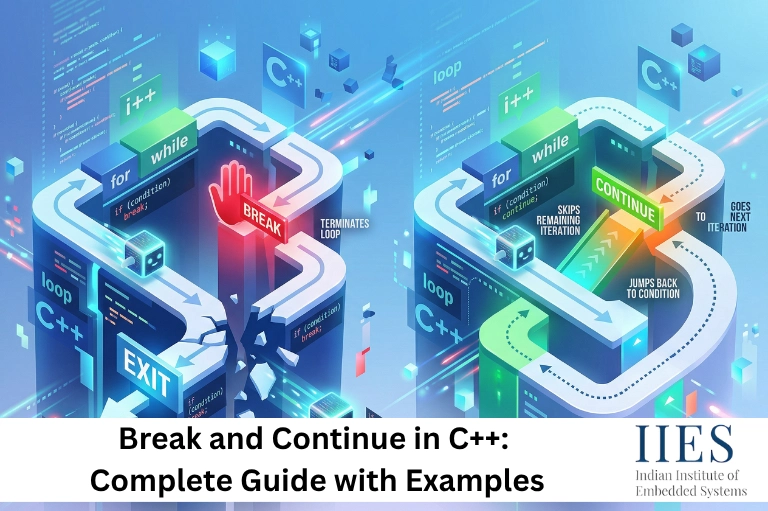
What Are Control Statements in C++?
Control statements in C++ determine how a program executes. They control decision-making, repetition, and flow transitions.
Without control statements, programs would execute sequentially, making them ineffective for solving real-world problems.
Types of Control Statements
Category | Statements | Purpose |
Conditional Statements in C++ | if, else, switch | Execute based on conditions |
C++ Loops | for, while, do-while | Repeat code blocks |
Jump / Loop Control | break, continue, goto, return | Alter execution flow |
Among these, break and continue in C++ are widely used and often confused, especially by beginners.

What Is the Break Statement in C++?
The break statement in C++ is used to immediately terminate a loop or switch statement.
Definition
The break keyword exits the nearest enclosing loop or switch and transfers control to the next statement after it.
Syntax of Break Statement in C++
for (int i = 0; i < n; i++) {

   if (condition) {

       break;

   }

}
Break Statement in C++ with Example
Example 1: Break in a For Loop
#include

using namespace std;

int main() {

   for (int i = 1; i <= 10; i++) {

       if (i == 5) {

           break;

       }

       cout << i << " ";

   }

   return 0;

}
Output:
1 2 3 4
The loop stops immediately when i == 5.
Example 2: Break in a While Loop
while (true) {

   int num;

   cin >> num;

   if (num == -1) {

       break;

   }

}
This is a common real-world pattern used in embedded systems and continuous processes.
Example 3: Break in Search Operation
int arr[] = {10, 20, 30, 40};

int target = 30;

for (int i = 0; i < 4; i++) {

   if (arr[i] == target) {

       cout << "Found at index " << i;

       break;

   }

}
Use case: Improves performance by stopping early.
What Is the Continue Statement in C++?
The continue statement in C++ skips the current iteration of a loop and moves to the next one.
Definition
The continue keyword skips the remaining code in the current loop iteration and proceeds to the next cycle.
Syntax of Continue Statement in C++
for (int i = 0; i < n; i++) {

   if (condition) {

       continue;

   }

}
Continue Statement in C++ with Example
Example 1: Skip Even Numbers
for (int i = 1; i <= 10; i++) {

   if (i % 2 == 0) {

       continue;

   }

   cout << i << " ";

}
Output:
1 3 5 7 9
Example 2: Continue in While Loop
int i = 0;

while (i < 5) {

   i++;

   if (i == 3) {

       continue;

   }

   cout << i << " ";

}
Output:
1 2 4 5
Example 3: Input Filtering
int nums[] = {5, -3, 8, -1, 12};

int sum = 0;

for (int i = 0; i < 5; i++) {

   if (nums[i] < 0) {

       continue;

   }

   sum += nums[i];

}
Output:
25
Difference Between Break and Continue in C++
This is one of the most important interview questions.
Aspect | break | continue |
Action | Exits loop | Skips iteration |
Execution | Stops completely | Continues next iteration |
Use in switch | Yes | No |
Purpose | Early termination | Filtering |
Flow | Jump outside loop | Jump to next cycle |
Side-by-Side Comparison
// break example

for (int i = 1; i <= 5; i++) {

   if (i == 3) break;

   cout << i << " ";  // 1 2

}

// continue example

for (int i = 1; i <= 5; i++) {

   if (i == 3) continue;

   cout << i << " ";  // 1 2 4 5

}

Break and Continue in C++ Loops
Loop Type | Break Behavior | Continue Behavior |
for | Exit loop | Go to increment |
while | Exit loop | Go to condition |
do-while | Exit loop | Go to condition |
Nested Loops Behavior
In nested loops, both statements affect only the inner loop.
for (int i = 1; i <= 3; i++) {

   for (int j = 1; j <= 3; j++) {

       if (j == 2) break;

       cout << i << "," << j << " ";

   }

}
Output:
1,1 2,1 3,1
Break in Switch Statements
int day = 2;

switch(day) {

   case 1:

       cout << "Monday";

       break;

   case 2:

       cout << "Tuesday";

       break;

}
Without break, execution continues to the next case (fall-through).
Real-World Use Cases
Use Case | Statement | Benefit |
Search algorithms | break | Faster execution |
Error handling | break | Prevent invalid logic |
Data filtering | continue | Clean logic |
Game loops | break | Controlled exit |
Input validation | continue | Skip invalid data |
Common Mistakes
- Forgetting break in switch statements
- Using continue without updating loop variables
- Overusing break/continue in nested loops
- Confusing break vs continue behavior
Best Practices
- Use break for clear exit conditions
- Use continue for filtering logic
- Keep loops readable and simple
- Avoid deep nesting when possible
- Add comments for clarity
Performance Insight
Using break can significantly reduce time complexity in search operations.
For example:
- Without break → O(n)
- With break (best case) → O(1)
This makes break statement in C++ critical for optimization.
Final Verdict
There is no competition between break and continue in C++, both serve different purposes.
- Use break when you want to completely exit a loop
- Use continue when you want to skip a specific iteration
Efficient programs use both strategically:
- Continue keeps logic clean
- Break prevents unnecessary execution
Mastering these two control statements will significantly improve your coding efficiency, especially when working with loops, data processing, and real-world applications.