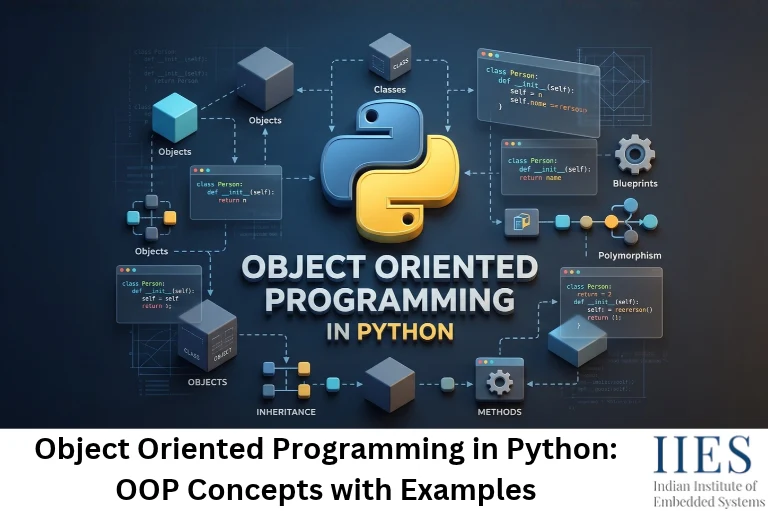
What Is Object-Oriented Programming in Python?
Object-oriented programming (OOP) in Python is a programming paradigm that organizes code into classes and objects, so data and the functions that work on that data stay together. Python supports OOP fully, and everything in Python, from numbers to functions, is an object.
Four building blocks appear in every OOP program:
- Class: A blueprint that describes what an object contains and what it can do. Example:
Sensor. - Object: A real instance built from that blueprint. Example:
temp = Sensor('Temperature', 4). - Attribute: A variable that belongs to an object. Example:
temp.pin. - Method: A function defined inside a class that works on the object’s data. Example:
temp.describe().
Think of a circuit schematic. The schematic (class) defines the parts and connections once. Every board you assemble from it (object) is a separate physical unit with its own state.
Why Python Suits OOP
- Python is multi-paradigm, so you can write procedural, object-oriented or functional code, and mix them in one project.
- Classes are lightweight. There are no header files and no access-specifier keywords.
- If you have written C++ classes, Python’s version feels familiar but shorter.

OOP Concepts in Python with Diagram
One class produces many objects, and four pillars guide how that class is designed. Look at the big picture first, then each pillar turns into working code in the next section.
OOP in Python at a Glance
                     OOP IN PYTHON AT A GLANCE

                  +-------------------------------+
                  | CLASS: Sensor (blueprint)     |
                  | attributes + methods          |
                  +---------------+---------------+
                                  | creates
          +-----------------------+-----------------------+
          |                       |                       |
          v                       v                       v
    +-----------+           +-----------+           +-----------+
    | temp      |           | light     |           | humidity  |
    | own data  |           | own data  |           | own data  |
    +-----------+           +-----------+           +-----------+

               THE FOUR PILLARS THAT SHAPE EVERY CLASS

+----------------+----------------+----------------+----------------+
| Encapsulation  | Abstraction    | Inheritance    | Polymorphism   |
+----------------+----------------+----------------+----------------+
| Bundle data +  | Expose only    | A child class  | Same method    |
| methods; hide  | what matters;  | reuses and     | name, many     |
| the internals  | hide the how   | extends parent| behaviors      |
+----------------+----------------+----------------+----------------+
The Four Pillars of Python OOP
| OOP Concept | Core Idea | Main Python Tools |
|---|
| Encapsulation | Keep data and the methods that use it together, and control access to it. | _protected, __private, @property |
| Abstraction | Expose what an object does and hide how it does it. | abc.ABC, @abstractmethod |
| Inheritance | Let a child class reuse and extend a parent class. | class Child(Parent), super() |
| Polymorphism | Use one method name with different behavior in different classes. | Method overriding, duck typing, operator overloading |
Keep this table handy. The next section turns each row into code.
Python OOP Concepts Explained with Examples
Each example is short, complete and runnable. Copy it into a file, run it, then change a value and watch the output change.
1. Class and Object in Python
A class defines the structure. An object is a real instance of that structure, holding its own data.
class Sensor:
    sensor_count = 0                      # class attribute: shared by every object

    def __init__(self, name, pin):        # initializer (often called the constructor)
        self.name = name                  # instance attributes: unique to each object
        self.pin = pin
        Sensor.sensor_count += 1

    def describe(self):                   # instance method
        return f'{self.name} sensor on pin {self.pin}'


temp = Sensor('Temperature', 4)           # object 1
light = Sensor('Light', 7)                # object 2

print(temp.describe())                    # Temperature sensor on pin 4
print(light.describe())                   # Light sensor on pin 7
print(Sensor.sensor_count)                # 2
What to Notice
class Sensor: defines the blueprint.__init__ is the initializer, commonly called the constructor. Python runs it automatically every time you create an object.self refers to the object being created or used. Python passes it for you, so you never type it when calling a method.name and pin are instance attributes: each object gets its own copy.sensor_count is a class attribute: one copy shared by all objects.
2. Encapsulation in Python
Encapsulation means bundling data with the methods that operate on it, and controlling how outside code can touch that data. It protects an object from accidental misuse.
Python has three access levels, all based on naming:
- Public (
voltage): Accessible from anywhere. - Protected (
_voltage): A convention that tells other developers “internal use only”. Python does not enforce it. - Private (
__voltage): Python renames it internally through name mangling, which makes accidental access harder.
class BatteryMonitor:
    def __init__(self, voltage):
        self.voltage = voltage            # goes through the setter, so validation runs here too

    @property
    def voltage(self):                    # getter
        return self.__voltage

    @voltage.setter
    def voltage(self, value):             # setter with a safety check
        if not 0 <= value <= 5:
            raise ValueError('Voltage must be between 0 and 5 V')
        self.__voltage = value            # double underscore: private (name-mangled)


battery = BatteryMonitor(3.7)
battery.voltage = 4.2
print(battery.voltage)                    # 4.2

try:
    battery.voltage = 12                  # rejected by the setter
except ValueError as error:
    print(error)                          # Voltage must be between 0 and 5 V
Why Encapsulation Matters on Real Hardware
A bad value written straight into a sensor object, such as 12 V on a 5 V channel, can travel through your whole program. The setter blocks it at the door.
Good to know: Name mangling prevents accidents, not determined access. battery._BatteryMonitor__voltage still works. Treat private attributes as a signal of intent, not a security feature.
3. Abstraction in Python
Abstraction means showing only what an object does and hiding how it does it. You call read() on a sensor without caring whether the value comes from an ADC, an I2C bus or a simulator.
Python implements abstraction with the abc module (Abstract Base Classes).
from abc import ABC, abstractmethod


class Device(ABC):                        # abstract base class
    @abstractmethod
    def read(self):
        """Every device must define how it returns a reading."""


class LightSensor(Device):
    def read(self):
        return 512                        # imagine real ADC code here


# device = Device()                       # TypeError: abstract classes cannot be instantiated
sensor = LightSensor()
print(sensor.read())                      # 512
Device defines a contract: every device must implement read().- Python refuses to create an object from the abstract class itself and raises a
TypeError. - A subclass that forgets to implement
read() fails the same way at object creation, so the mistake surfaces early instead of halfway through a run.
4. Inheritance in Python
Inheritance lets a child class reuse the attributes and methods of a parent class, and add or change only what it needs.
class Sensor:
    def __init__(self, name, pin):
        self.name = name
        self.pin = pin

    def describe(self):
        return f'{self.name} sensor on pin {self.pin}'


class TemperatureSensor(Sensor):          # child class: inherits from Sensor
    def __init__(self, pin, unit='C'):
        super().__init__('Temperature', pin)   # reuse the parent initializer
        self.unit = unit

    def read(self):                       # behavior only the child has
        return f'27.5 {self.unit}'


sensor = TemperatureSensor(4)
print(sensor.describe())                  # Temperature sensor on pin 4  (inherited)
print(sensor.read())                      # 27.5 C                       (child's own)
print(TemperatureSensor.__mro__)          # the lookup order Python follows
Types of Inheritance in Python
- Single: One child, one parent.
- Multilevel: Grandparent, parent, child.
- Multiple: One child, two or more parents.
- Hierarchical: One parent, many children.
- Hybrid: A mix of the above.
Tip: With multiple inheritance, Python decides which parent’s method wins using the Method Resolution Order (MRO). Print ClassName.__mro__ to see the exact lookup order.
5. Polymorphism in Python
Polymorphism means one method name can behave differently depending on the object that calls it. It lets you write one loop that works with many kinds of objects.
class Sensor:
    def read(self):
        raise NotImplementedError('Child classes must override read()')


class TemperatureSensor(Sensor):
    def read(self):                       # overrides the parent method
        return '27.5 C'


class HumiditySensor(Sensor):
    def read(self):                       # same name, different behavior
        return '61 %'


for sensor in (TemperatureSensor(), HumiditySensor()):
    print(sensor.read())                  # 27.5 C, then 61 %
Common Types of Polymorphism in Python
- Method overriding: A child class replaces the parent’s method, as shown above.
- Duck typing: If an object has a
read() method, Python calls it, even when the class shares no parent. If it walks like a duck and quacks like a duck, it is treated as a duck. - Operator overloading: Special methods such as
__add__ let + work on your own objects.
One thing to remember: Python does not support classic method overloading (same name, different parameter lists). If you define a method twice, the last definition wins. Use default arguments instead.

Object-Oriented Programming in Python Examples: All Four Pillars Together
This example models two sensors that share one abstract design. Read it from top to bottom and match each comment to a pillar.
from abc import ABC, abstractmethod


class Sensor(ABC):                        # Abstraction: defines the contract
    def __init__(self, name, pin):
        self.name = name
        self.__pin = pin                  # Encapsulation: hidden from outside code

    @property
    def pin(self):                        # read-only access to the pin
        return self.__pin

    @abstractmethod
    def read(self):
        pass

    def report(self):                     # shared behavior, written once
        return f'{self.name} (pin {self.pin}): {self.read()}'


class TemperatureSensor(Sensor):          # Inheritance
    def __init__(self, pin):
        super().__init__('Temperature', pin)

    def read(self):                       # Polymorphism: its own read()
        return '27.5 C'


class HumiditySensor(Sensor):
    def __init__(self, pin):
        super().__init__('Humidity', pin)

    def read(self):                       # Polymorphism: a different read()
        return '61 %'


sensors = [TemperatureSensor(4), HumiditySensor(5)]

for sensor in sensors:
    print(sensor.report())
Output
Temperature (pin 4): 27.5 C
Humidity (pin 5): 61 %
Where Each OOP Pillar Appears
- Abstraction:
Sensor(ABC) with the abstract read() method. - Encapsulation:
__pin is private and exposed through a read-only pin property. - Inheritance:
TemperatureSensor and HumiditySensor reuse the initializer and report() from Sensor. - Polymorphism:
sensor.report() calls a different read() for each object inside a single loop.
Now add a LightSensor class with its own read() and append it to the list. The loop works without a single change. That is the real payoff of object-oriented programming in Python.
Advantages of OOP in Python
The advantages of OOP show up most when a project grows beyond a single file. Here is what you gain:
- Code reusability: Inheritance and composition let you write logic once and reuse it. One Sensor base class can serve a dozen drivers.
- Modularity: Each class has one clear job, so you can test and fix it in isolation.
- Easier maintenance: A change inside a class rarely forces changes elsewhere, as long as its public interface stays the same.
- Data protection: Encapsulation keeps important values behind validated methods, so bad data is caught early.
- Scalability: Adding a new sensor, motor or protocol means adding a class, not rewriting existing code.
- Real-world modeling: Boards, sensors, motors and packets map naturally onto objects, which makes designs easier to discuss and review.
- Team-friendly: Different people can own different classes, as long as everyone agrees on the interfaces.
Disadvantages of OOP in Python
OOP is a tool, not a rule, and knowing its costs helps you decide when to use it. Watch out for these:
- Steeper learning curve:
self, inheritance chains, abstract classes and the MRO all take practice. - More code for small tasks: A 20-line script that reads one sensor rarely needs three classes.
- Memory overhead: Every object carries extra bookkeeping. On boards running MicroPython, RAM is limited, so thousands of small objects add up quickly. In standard Python,
__slots__ can reduce per-object memory. Our guide to Python in embedded systems covers these trade-offs in more depth. - Small speed cost: Method calls and attribute lookups add a little overhead compared with plain function calls. It rarely matters, but it can in tight loops.
- Over-engineering risk: Deep inheritance trees are hard to read and debug. When in doubt, prefer composition (“has-a”) over inheritance (“is-a”).
- Tighter coupling than it looks: A change in a parent class can silently affect every child class.
Difference Between Object-Oriented and Procedural Programming
Object-oriented programming organizes a program around objects that hold both data and behavior, while procedural programming organizes it around functions that run step by step on separate data. The table below shows how the two styles compare.
| Feature | Object-Oriented Programming (OOP) | Procedural Oriented Programming (POP) |
|---|
| Basic approach | Bottom-up: design objects first, then combine them. | Top-down: start with the main task and split it into functions. |
| Program structure | Classes and objects. | Functions and a sequence of steps. |
| Data and functions | Bundled together inside objects. | Kept separate: data is passed to functions. |
| Data security | Data can be hidden and validated through encapsulation. | Data is often global or exposed, so it is easier to change by accident. |
| Code reuse | Inheritance, composition and polymorphism. | Mostly by calling the same functions again. |
| Best suited for | Large, growing projects with many similar components. | Short scripts and small, linear tasks. |
| Adding features | Add a new class and leave existing code alone. | Often means editing existing functions. |
| Real-world modeling | Natural: sensors, motors and packets become objects. | Less natural: the focus stays on actions. |
| Typical languages | Python, Java, C++, C#. | C, Pascal, Fortran, BASIC. |
| In Python | class, objects and methods. | Plain functions and modules. |
Python and C++ support both styles, so the choice is about design, not the language.
The Same Task in Both Styles
Here is a small job: switch two LEDs on and off. First, the procedural version.
Procedural Programming Example
def toggle(led):
    led['on'] = not led['on']


red = {'pin': 12, 'on': False}            # data lives here...
green = {'pin': 13, 'on': False}

toggle(red)                               # ...functions live elsewhere
print(red)                                # {'pin': 12, 'on': True}
Object-Oriented Programming Example
class Led:
    def __init__(self, pin):
        self.pin = pin
        self.on = False

    def toggle(self):                     # data and behavior live together
        self.on = not self.on


red = Led(12)
green = Led(13)

red.toggle()
print(red.on)                             # True
What Changed?
- In the procedural version, the data (red, green) and the function (toggle) live apart. Nothing stops you from passing the wrong dictionary or writing
red['on'] = 'banana'. - In the OOP version, each Led owns its pin and its state, and
toggle() belongs to it. - Adding a feature such as brightness later means extending one class instead of touching every function that handles LEDs.
When to Choose OOP or Procedural Programming
- Choose procedural programming for short scripts, quick automation, one-time data processing and simple firmware-style loops.
- Choose OOP when you manage many similar components (sensors, motors, devices), expect the project to grow, or work in a team.
- Mix both in real projects: A clean codebase often has plain helper functions around a few well-designed classes.
Common Mistakes to Avoid in Python OOP
- Forgetting self: Every instance method needs
self as its first parameter, and attributes need the self. prefix to belong to the object. - Mutable default arguments:
def __init__(self, readings=[]) shares one list across all objects. Use None as the default and create the list inside the method. - Mixing up class and instance attributes: Assigning through an object (
obj.sensor_count = 5) creates a new instance attribute instead of changing the shared class attribute. - Deep inheritance trees: More than two or three levels usually signals a design problem.
- Classes that are only function bags: If a class holds no data and just groups functions, a plain module is simpler.
- Ignoring naming conventions: PEP 8 recommends PascalCase for class names and snake_case for methods and attributes.

Conclusion
Object-oriented programming in Python comes down to one idea: keep related data and behavior together, and hide whatever the rest of the program does not need to see.
Key Takeaways
- A class is a blueprint. An object is a real instance with its own data.
- The core Python OOP concepts are encapsulation, abstraction, inheritance and polymorphism.
- OOP pays off when you manage many similar components, and it costs extra code in tiny scripts.
- Procedural code is perfectly fine for short tasks, and Python lets you mix both styles.
Is this conversation helpful so far?