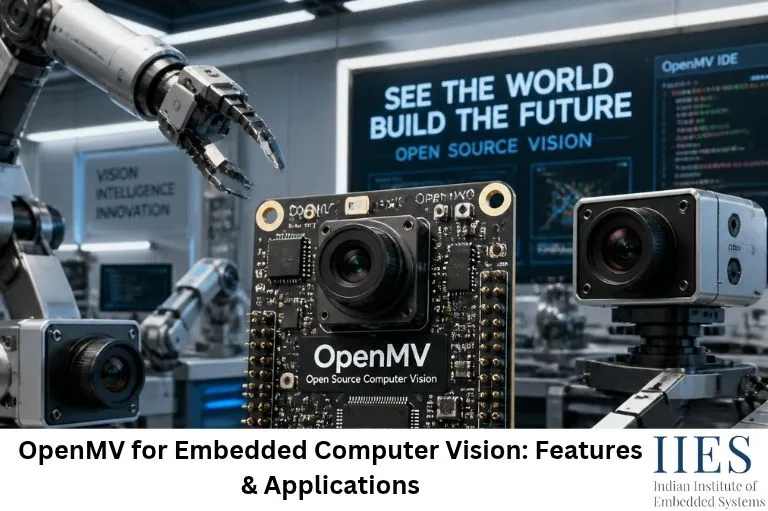
1. What Is OpenMV?
OpenMV is an open-source machine vision platform designed to make embedded computer vision development easier. It combines a camera sensor, an embedded processor and software tools to perform image-processing operations on a compact hardware platform.
Unlike conventional computer vision applications that run on desktop computers, OpenMV is designed for embedded applications where processing power, memory, energy consumption and physical space are limited.
The OpenMV camera can capture visual information and process it using built-in image-processing functions. Developers can write programs in MicroPython and execute them directly on the camera.
For example, consider a robotic vehicle that needs to follow a colored line. A conventional approach might use multiple infrared sensors. With OpenMV, a camera can capture the road, identify the required color region and calculate its position. The controller can then use this information to adjust the motor direction.
Key components of an OpenMV system
An OpenMV system generally consists of the following components:
| Component | Function |
| Camera sensor | Captures images and video frames |
| Microcontroller / processor | Executes image-processing operations |
| RAM | Stores image buffers and temporary processing data |
| Flash memory | Stores firmware and user programs |
| GPIO pins | Connects external sensors and actuators |
| Communication interfaces | Supports UART, SPI, I2C and other supported interfaces |
| OpenMV IDE | Provides programming, debugging and camera monitoring tools |
The exact processor, memory capacity and available interfaces depend on the OpenMV camera model.
2. How Does OpenMV Work?
Understanding how OpenMV works is important before developing computer vision applications.
The system follows a sequence of operations, beginning with image acquisition and ending with a decision or control action.
Step 1: Image Acquisition
The camera sensor captures an image of the surrounding environment. The captured image is converted into digital pixel data.
Each pixel contains information about the image, such as its color and intensity. Depending on the sensor configuration, images may be captured in RGB, grayscale or other supported formats.
Step 2: Image Preprocessing
Raw images may contain unnecessary information, lighting variations and background noise.
Preprocessing helps improve image quality and makes subsequent operations more efficient.
Common preprocessing operations include:
- Grayscale conversion
- Color thresholding
- Image resizing
- Noise reduction
- Contrast adjustment
- Region of Interest (ROI) selection
For example, if an application only needs to detect a red object, processing the entire image in detail may be unnecessary. A suitable color threshold can help isolate the required region.
Step 3: Image Processing and Feature Detection
After preprocessing, OpenMV applies image-processing algorithms to identify useful visual information.
Depending on the application, this may include:
- Color blob detection
- Shape detection
- Edge detection
- Line detection
- Circle detection
- AprilTag detection
- Face detection on supported platforms and firmware
The output may include object coordinates, dimensions, rotation or other identifying information.
Step 4: Decision Making
The detected information is passed to the application logic.
For example, a robot can compare the detected object’s position with the center of the camera frame. If the object appears on the left, the robot can adjust its movement accordingly.
Step 5: Control and Communication
The final result can be used to control external hardware or communicate with another embedded system.
Possible actions include:
- Sending object coordinates through UART.
- Controlling motors through an external motor driver.
- Activating an alarm when an object is detected.
- Sending inspection results to an IoT gateway.
This approach enables a complete embedded vision workflow without requiring continuous communication with a desktop computer.

3. Important Features of OpenMV
OpenMV provides several features that simplify embedded computer vision development.
3.1 MicroPython Programming
One of the major advantages of OpenMV is its support for MicroPython.
MicroPython is a lightweight implementation of Python designed for microcontrollers and embedded hardware.
Developers can write programs without manually implementing every low-level image-processing operation.
For example:
import sensor
import time

sensor.reset()
sensor.set_pixformat(sensor.RGB565)
sensor.set_framesize(sensor.QVGA)
sensor.skip_frames(time=2000)

clock = time.clock()

while True:
    clock.tick()

    img = sensor.snapshot()

    blobs = img.find_blobs(
        [(30, 100, 15, 127, 15, 127)],
        pixels_threshold=200,
        area_threshold=200
    )

    for blob in blobs:
        img.draw_rectangle(blob.rect())
        img.draw_cross(blob.cx(), blob.cy())

    print("FPS:", clock.fps())
This example demonstrates a basic color-blob detection workflow.
The program initializes the camera, captures frames, searches for regions matching the specified color threshold and draws rectangles around detected regions.
The threshold values must be calibrated for the actual lighting conditions and target object. The example illustrates the general workflow rather than a universal red-color threshold.
3.2 Real-Time Image Processing
OpenMV is designed to perform image-processing operations directly on embedded hardware.
Instead of transmitting every frame to a separate computer, the camera can process images locally and return meaningful results.
For example, an industrial inspection system may only need to identify whether a component is present or missing. It does not necessarily need to transmit the complete image to another device.
Local processing can reduce communication overhead and support faster responses, depending on the algorithm, image resolution and hardware capabilities.
3.3 Color Detection and Tracking
Color detection is one of the most common applications of OpenMV.
The camera can identify objects based on their color characteristics and determine their position within an image.
Applications include:
- Robot navigation
- Color-based object sorting
- Line-following robots
- Industrial object identification
- Automated inspection
Developers can use LAB color thresholds to identify specific color ranges.
3.4 Shape and Feature Detection
OpenMV supports several image-processing operations for identifying visual patterns.
Depending on the hardware and firmware, developers can use features such as:
- Line detection
- Circle detection
- Rectangle detection
- AprilTag recognition
- Keypoint detection and matching
These capabilities are useful in robotics, positioning systems and machine vision applications.
3.5 Machine Learning and Edge AI
Computer vision is increasingly connected with machine learning.
Traditional image-processing techniques identify objects using predefined characteristics such as color, edges and geometric patterns. Machine learning models can instead learn visual patterns from training data.
OpenMV platforms with compatible hardware and firmware can support selected machine learning and neural-network inference workflows.
Depending on the model and available resources, developers can explore:
- Image classification
- Object detection
- Visual recognition
- Custom-trained machine learning models
However, not every OpenMV camera supports every machine learning model. Model size, RAM, processor capabilities and firmware compatibility must be considered before implementation.
3.6 OpenMV IDE
OpenMV IDE is the development environment used to write, execute and debug OpenMV programs.
It provides features such as:
- MicroPython code editor
- Live camera image preview
- Serial communication monitoring
- Frame-rate monitoring
- Script execution
- Image-processing visualization
The live preview is particularly useful for beginners because they can observe how the camera responds to changes in lighting, object position and image-processing parameters.
4. Image Processing Techniques Used in OpenMV
To understand OpenMV beyond its programming interface, it is useful to explore the image-processing techniques behind its applications.
4.1 Color Thresholding
Color thresholding separates pixels based on their color values.
For example, a camera can identify a yellow object by selecting pixels that fall within a predefined LAB color range.
A simplified thresholding workflow is:
- Capture an image.
- Convert or interpret pixel values in the required color space.
- Define suitable color thresholds.
- Identify matching pixels.
- Group connected pixels into blobs.
- Calculate the position and size of detected regions.
This technique is useful for controlled environments where object colors are known.
4.2 Blob Detection
A blob is a connected group of pixels that share certain visual characteristics.
OpenMV can identify blobs and calculate useful properties such as:
- Pixel count
- Bounding rectangle
- Center coordinates
- Width and height
- Rotation and density information, where supported
Blob detection is commonly used in object tracking and robotic navigation.
4.3 Edge Detection
Edges represent boundaries between regions with different image intensities.
Edge detection helps identify object outlines, surface boundaries and structural patterns.
It can be used in:
- Shape recognition
- Industrial inspection
- Boundary identification
- Feature extraction
The effectiveness of edge detection depends on image quality, lighting and the selected processing method.
4.4 AprilTag Detection
AprilTags are visual fiducial markers designed for reliable detection and identification.
An OpenMV camera with compatible firmware can detect these markers and retrieve information such as their ID and image position. Supported configurations can also estimate their relative pose.
AprilTags are useful in robotics, localization, navigation and object positioning.
5. Real-World Applications of OpenMV
OpenMV is useful in applications where compact visual processing is more practical than using a full desktop computer.
5.1 Robotics and Autonomous Navigation
Robots often need to understand their surroundings to move accurately.
OpenMV can help robots detect colored objects, identify visual markers and follow predefined paths.
For example, an autonomous robot can use color detection to identify a navigation line. The camera calculates the line’s position, and the control system adjusts the motors to maintain the correct direction.
5.2 Industrial Automation
Manufacturing systems use machine vision to inspect products and monitor production processes.
OpenMV can be used for smaller inspection tasks, such as:
- Detecting missing components
- Checking object presence
- Identifying colored parts
- Reading supported visual markers
- Monitoring object positioning
For example, a conveyor-belt system can use a camera to identify whether a component is present before allowing the next manufacturing operation.
Complex defect inspection may require more powerful industrial vision hardware.
5.3 Object Tracking Systems
Object tracking involves identifying an object and monitoring its position across multiple image frames.
OpenMV can track objects using color thresholds and other supported image-processing techniques.
Applications include:
- Robotic object tracking
- Smart toys
- Automated sorting systems
- Visual positioning systems
The camera can calculate the object’s center coordinates and provide them to a controller.
5.4 Smart Agriculture
Computer vision is becoming increasingly useful in agricultural automation.
OpenMV can support small-scale experiments involving:
- Plant and leaf color analysis
- Visual monitoring of crops
- Object identification
- Basic plant growth observation
For advanced disease detection, a trained machine learning model and suitable image dataset may be required.
5.5 IoT-Based Vision Systems
OpenMV can be integrated into IoT projects where visual information is used to trigger actions or generate monitoring data.
For example, a smart monitoring system can detect a specific object and send an event notification to an external microcontroller or gateway.
A typical architecture looks like this:
Camera → Image Processing → Event Detection → Microcontroller → IoT Gateway → Cloud Dashboard
This architecture is useful when an application needs visual intelligence without continuously transmitting video.
6. OpenMV vs Raspberry Pi for Computer Vision
OpenMV and Raspberry Pi are both used in computer vision projects, but they serve different requirements.
| Feature | OpenMV | Raspberry Pi |
| Platform type | Embedded machine vision camera | Single-board computer |
| Programming | MicroPython | Python, C/C++ and others |
| Main purpose | Compact embedded vision | General-purpose computing and vision |
| Processing approach | Resource-constrained local vision processing | More extensive software-based processing |
| Hardware resources | Model-dependent, generally limited | Generally higher memory and computing resources |
| Computer vision | Built-in embedded vision functions | OpenCV and other computer vision libraries |
| Machine learning | Selected supported inference workflows | Wider range of model and framework options |
| Typical applications | Object detection, tracking and embedded automation | Advanced vision, robotics and AI applications |
Which one should you choose?
Choose OpenMV when your project requires compact hardware, low-overhead image processing and direct integration with embedded systems.
Choose Raspberry Pi when you need more computing resources, a broader software ecosystem or complex computer vision applications.
The right platform depends on the processing requirements, power budget, software stack and deployment environment.

7. How to Build a Basic OpenMV Computer Vision Project
A color-based object detection project is a good starting point for students.
Required components
- OpenMV camera board
- USB cable
- Computer with OpenMV IDE
- Colored object for detection
- Suitable lighting environment
- Optional microcontroller or external actuator
Implementation steps
Step 1: Connect the OpenMV Camera
Connect the camera to your computer using USB. Open OpenMV IDE and verify that the camera is detected.
Step 2: Configure the Camera
Select the appropriate pixel format and image resolution.
For example:
- RGB565 for color-based processing
- Grayscale for intensity-based operations
- QVGA (320 × 240) as a starting resolution
Step 3: Capture an Image
Use the camera snapshot function to capture the current frame.
Step 4: Configure Color Thresholds
Observe the target object’s color values and adjust the LAB thresholds.
Step 5: Detect the Object
Use the blob-detection function to identify matching regions.
Step 6: Display the Detection Result
Draw a rectangle around the detected object and display its center coordinates.
Step 7: Integrate an External Controller
Send the detected coordinates through a supported communication interface such as UART.
An external controller can then use the coordinates to control a motor, robotic arm or other actuator.
Example project architecture
Target Object → OpenMV Camera → Image Capture → Color Thresholding → Blob Detection → Object Coordinates → UART Communication → External Controller → Motor Control
This project introduces students to camera interfacing, image processing, embedded programming and hardware communication.
8. Advantages of OpenMV in Embedded Systems
OpenMV provides several advantages for developers working with embedded computer vision.
- Compact design: Its camera-based architecture is suitable for space-constrained embedded applications.
- Simplified programming: MicroPython makes it easier to experiment with image-processing functions.
- Local processing: Image analysis can happen directly on the device, reducing the need to transmit complete frames.
- Hardware integration: Supported GPIO and communication interfaces make it possible to connect external sensors and controllers.
- Rapid prototyping: OpenMV IDE provides tools for testing and debugging vision applications.
- Educational value: Students can learn image acquisition, image processing, object detection and embedded hardware integration through practical projects.
9. Limitations of OpenMV
Although OpenMV is useful for embedded vision applications, it is not a replacement for every computer vision platform.
Limited processing resources
Embedded cameras have limited memory and computing capacity compared with desktop computers and powerful single-board computers. Complex algorithms and large neural networks may not run efficiently.
Lighting sensitivity
Traditional color detection can be affected by changes in illumination, shadows and reflections. Proper lighting and threshold calibration are important for reliable results.
Model compatibility
Machine learning capabilities depend on the camera model, firmware, memory and supported inference tools. Developers must verify compatibility before deploying custom models.
Application complexity
Advanced image segmentation, high-resolution processing and computationally expensive vision tasks may require a more powerful platform.
Understanding these limitations helps developers select the correct hardware for their application.
10. OpenMV and the Future of Embedded AI
Embedded computer vision is evolving alongside Edge AI and TinyML.
Instead of sending every image to a cloud server, modern embedded systems increasingly perform selected AI operations directly on local hardware.
This approach can reduce communication requirements, improve response times and support applications that need to operate without continuous internet connectivity.
OpenMV provides an accessible entry point for understanding this transition from traditional image processing to embedded visual intelligence.
For students interested in Embedded Systems, IoT and AI, learning OpenMV can provide practical experience with camera interfacing, MicroPython, real-time processing and hardware integration.
As embedded processors become more capable, compact vision systems will continue to play an important role in robotics, industrial automation, smart devices and intelligent monitoring systems.
Conclusion
OpenMV for Embedded Computer Vision demonstrates how image-processing capabilities can be implemented on compact embedded hardware. From color detection and object tracking to AprilTag recognition and selected machine learning applications, it offers a practical platform for building visual intelligence into embedded devices.
For beginners, OpenMV simplifies the process of learning computer vision through MicroPython and OpenMV IDE. For embedded developers, it provides an opportunity to prototype compact vision-based solutions for robotics, automation and IoT.
The most effective way to understand OpenMV is through practical implementation. Start with color detection, move towards object tracking and then explore machine learning-based vision applications based on your hardware capabilities.
No. Beginners can start with traditional image-processing techniques such as color thresholding, blob detection and line detection. Machine learning knowledge becomes useful when implementing trained image-classification or object-detection models.