What is Blynk IoT?
The Blynk IoT platform is a cloud-based solution designed to simplify IoT application development. It enables seamless communication between hardware devices and mobile or web dashboards using the internet.
At its core, Blynk Cloud acts as the central server that manages:
- Device connectivity
- Authentication
- Data transfer
- Remote control
- Notifications
- Dashboard visualization
- Data storage
Instead of building a custom backend server, developers can use Blynk’s ready-made infrastructure to rapidly create connected solutions.
The platform includes three major components:
Component | Purpose |
Blynk Cloud | Handles communication, data processing, and storage |
Blynk Mobile App | Provides user dashboards and controls |
Hardware Device | Sensors, microcontrollers, and actuators |
This architecture dramatically reduces development complexity and accelerates IoT deployment.

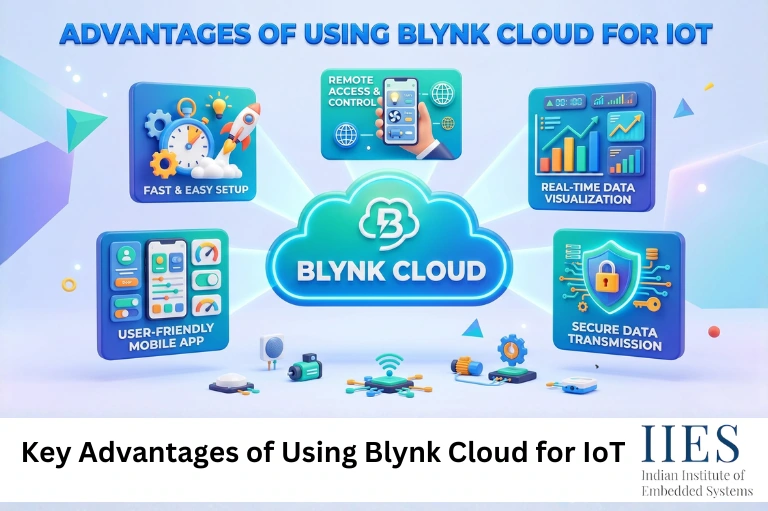
Key Advantages of Using Blynk Cloud for IoT
1. User-Friendly Interface
One of the biggest strengths of Blynk Cloud is its intuitive and beginner-friendly interface.
Developers can easily create custom dashboards using drag-and-drop widgets without writing frontend code. This makes the platform highly accessible for students, hobbyists, and rapid prototyping teams.
The Blynk mobile app allows users to:
- Add buttons and sliders
- Display sensor readings
- Create gauges and graphs
- Configure notifications
- Control devices remotely
Even users with limited coding experience can develop fully functional IoT projects within hours.
Example
A student building a smart irrigation system can quickly create a mobile dashboard to:
- Monitor soil moisture
- Turn water pumps on/off
- Receive low-water alerts
- Visualize moisture history
Without Blynk, the same project would require separate app development and server integration.
2. Wide Hardware Compatibility
Another major advantage of the Blynk IoT platform is its compatibility with multiple hardware platforms.
Supported devices include:
This flexibility allows developers to choose hardware based on budget, performance, and project requirements.
Why This Matters
IoT projects often evolve over time. A prototype built using ESP8266 can later migrate to industrial hardware without changing the entire cloud architecture.
This scalability is especially valuable for startups and product developers.
3. Real-Time Device Monitoring
Real-time monitoring is one of the most important requirements in IoT systems.
Blynk Cloud IoT supports instant communication between devices and dashboards, enabling users to monitor live data from anywhere in the world.
Real-Time Features Include
- Live sensor updates
- Device status tracking
- Remote switching
- Event notifications
- Dynamic charts
- Historical logs
This capability is highly beneficial in industrial automation and smart home applications where instant responses are critical.
4. Built-In Data Visualization
Modern IoT applications require clear and actionable data visualization.
Blynk offers interactive widgets such as:
- Graphs
- Gauges
- LCD displays
- Terminal widgets
- Charts
- Value displays
These widgets help users analyze trends and make informed decisions.
Practical Example
In a smart energy monitoring system, users can:
- Track daily power usage
- Compare monthly consumption
- Detect abnormal spikes
- Optimize electricity costs
Without advanced visualization, raw sensor data provides limited value.
5. Faster IoT Prototyping
Rapid prototyping is essential in today’s competitive IoT market.
The Blynk Cloud ecosystem enables developers to quickly test ideas without spending weeks building backend systems.
Benefits of Faster Prototyping
- Reduced development time
- Lower costs
- Faster product validation
- Easier experimentation
- Improved innovation cycles
This is one reason why Blynk is commonly used in engineering colleges, research labs, and startup incubators.
6. Secure Cloud Infrastructure
Security remains a major concern in IoT environments.
Blynk provides several security mechanisms including:
- Authentication tokens
- Encrypted communication
- Secure cloud APIs
- Device authorization
- Controlled access management
While no cloud platform is completely immune to cyber threats, Blynk simplifies secure IoT deployment compared to manually developing cloud security layers.
7. Cross-Platform Accessibility
The Blynk IoT platform supports access through:
- Android devices
- iOS applications
- Web dashboards
- Remote browser access
This multi-platform accessibility improves usability and enhances remote device management.
Users can monitor devices from virtually anywhere with internet connectivity.
How to Set Up Blynk Cloud
Setting up Blynk Cloud IoT is relatively straightforward.
Step 1: Create a Blynk Account
Download the Blynk app and register an account.
Step 2: Create a New Template
Templates define device configurations, datastreams, and dashboard settings.
Step 3: Get Authentication Credentials
Each device receives a unique authentication token used for cloud communication.
Step 4: Configure Widgets
Add buttons, graphs, gauges, or switches to your dashboard.
Step 5: Upload Firmware
Upload Blynk-compatible code to your microcontroller using Arduino IDE or PlatformIO.
Step 6: Connect Device to Wi-Fi
Once connected, the hardware communicates directly with Blynk Cloud servers.
Real-World Applications of Blynk Cloud
Smart Home Automation
Blynk is extensively used for:
- Smart lighting
- Fan control
- Door locks
- Security systems
- Temperature monitoring
Users can remotely manage appliances from smartphones.
Industrial IoT
Industrial applications include:
- Machine monitoring
- Predictive maintenance
- Production analytics
- Energy optimization
- Equipment diagnostics
Real-time alerts improve operational efficiency and reduce downtime.
Smart Agriculture
Farmers use Blynk-based systems for:
- Soil moisture monitoring
- Automated irrigation
- Greenhouse management
- Weather tracking
- Water pump automation
These systems help improve crop productivity while reducing resource wastage.
Educational IoT Projects
Blynk is highly popular among engineering students because it simplifies learning IoT concepts.
Students can focus on:
- Sensor integration
- Automation logic
- Wireless communication
- Data visualization
Instead of spending excessive time building backend infrastructure.

Blynk Cloud vs Traditional IoT Development
Feature | Blynk Cloud | Traditional IoT Setup |
Backend Setup | Ready-made | Manual development |
Mobile Dashboard | Built-in | Custom app required |
Real-Time Monitoring | Native support | Requires implementation |
Cloud Security | Pre-configured | Developer-managed |
Development Speed | Fast | Time-consuming |
Maintenance | Minimal | High |
This comparison highlights why Blynk has become a preferred IoT cloud platform for rapid development.
Challenges of Using Blynk Cloud
Despite its advantages, Blynk Cloud has some limitations.
Dependency on Cloud Servers
Projects rely on Blynk’s server availability for communication and monitoring.
If servers experience downtime, device communication may be affected.
Limited Deep Customization
Advanced developers may find customization options somewhat restricted compared to fully self-hosted solutions.
In such cases, developers often prefer:
- MQTT brokers
- AWS IoT
- Azure IoT Hub
- Self-hosted Blynk servers
Future Trends of Blynk Cloud in 2026 and Beyond
The future of Blynk Cloud IoT looks promising as IoT adoption continues to grow worldwide.
AI-Integrated IoT Dashboards
Future IoT systems may integrate AI-driven analytics directly into Blynk dashboards for predictive monitoring and anomaly detection.
Edge Computing Integration
Combining cloud processing with edge AI devices will reduce latency and improve response times.
Smart Industry Expansion
Industries are increasingly adopting IoT for automation and energy management, creating greater demand for platforms like Blynk.
Enhanced Device Management
Future updates may include:
- Advanced OTA firmware updates
- Better device grouping
- Enterprise fleet management
- Improved analytics dashboards
Best Practices for Using Blynk Cloud
To maximize efficiency and security, follow these best practices:
Use Secure Wi-Fi Networks
Avoid connecting IoT devices to unsecured public networks.
Organize Datastreams Properly
Clear naming conventions improve scalability and maintenance.
Optimize Sensor Data Frequency
Sending excessive data can increase bandwidth usage and server load.
Enable Alerts and Notifications
Critical alerts help detect failures quickly.
Regularly Update Firmware
Firmware updates improve device security and performance.
Common Mistakes to Avoid
Many beginners make these IoT mistakes:
- Hardcoding credentials
- Ignoring security practices
- Sending unnecessary sensor data
- Overloading dashboards
- Using unstable power supplies
Avoiding these issues improves project reliability.

Conclusion
The rise of connected technology has increased the demand for reliable and scalable IoT platforms. The Blynk Cloud IoT ecosystem simplifies the development process by providing cloud connectivity, real-time dashboards, mobile integration, and device management in a single platform.
From smart homes and agriculture to industrial automation and educational projects, the Blynk IoT platform continues to play a significant role in accelerating IoT innovation. Its user-friendly design, hardware compatibility, and rapid deployment capabilities make it an ideal solution for both beginners and experienced developers.
As IoT technology continues evolving toward AI-powered automation and edge computing, platforms like Blynk Cloud are expected to become even more powerful and essential for future connected systems.
If you are planning to build scalable IoT solutions without managing complex backend infrastructure, Blynk Cloud remains one of the most practical and efficient platforms available today.