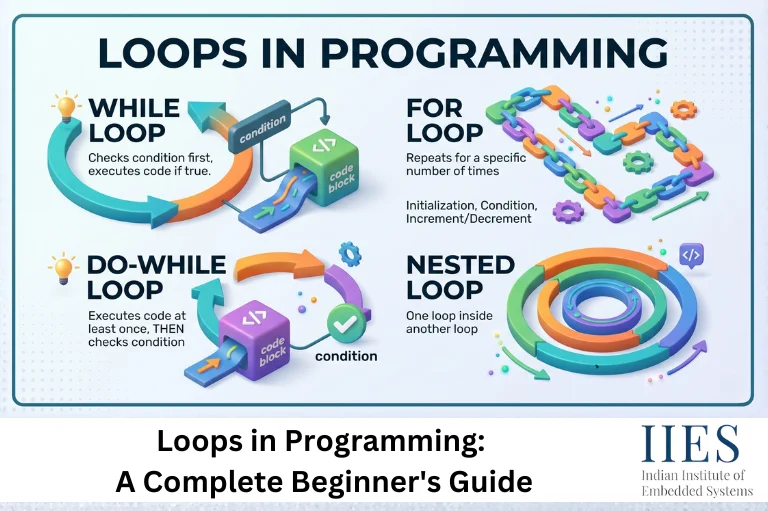
What Is a Loop in Programming?
At its core, a loop in programming is a control structure that allows a block of code to execute repeatedly. Instead of writing the same instruction ten times, you write it once and tell the loop how many times, or under what conditions, it should run. Each pass through the loop is called an iteration, and the loop continues until a defined breaking condition is met.
Loops are the foundation of automation in code. They power everything from simple counting programs to complex sorting algorithms, data pipelines, and real-time applications. The three primary loop types you will encounter as a developer are the for loop, the while loop, and the do-while loop, each suited to different scenarios.

The Basics of For Loops
The for loop is one of the most commonly used loops in programming. It is designed for situations where you know in advance how many times a block of code should run.
A for loop has three main components:
- Initialization – sets a starting value for the loop counter (e.g., i = 0)
- Condition – determines whether the loop continues or stops (e.g., i < 10)
- Increment or Decrement – updates the counter after each iteration (e.g., i++)
Example (Python):
python

for i in range(5):

    print(i)
# Output: 0, 1, 2, 3, 4
Example (JavaScript):
javascript

for (let i = 0; i < 5; i++) {

  console.log(i);

}
For loops are ideal for iterating over arrays, generating number sequences, and processing structured data where the iteration count is predictable. They are the go-to choice when working with lists, matrices, or any collection with a known length.
Navigating While Loops
The while loop is another fundamental loop structure in programming. Unlike the for loop, a while loop does not require a predefined number of iterations. Instead, it continues to execute as long as a specified condition remains true, stopping only when that condition becomes false.
Basic while loop syntax (Python):
python

count = 0

while count < 5:

    print(count)

    count += 1
While loop program example (JavaScript):
javascript

let count = 0;

while (count < 5) {

  console.log(count);

  count++;

}
Understanding while loops is especially important for working with real-time data streams, user input validation, and dynamic conditions that cannot be predicted ahead of time. For instance, a while loop program can keep prompting a user for valid input until they provide it, or it can keep reading sensor data until a threshold is reached.
The flexibility of while loops is one of their greatest strengths. They handle unbounded iterations gracefully, situations where you simply do not know in advance when the loop should stop.
Common while loop example – waiting for user input:
python

user_input = ""

while user_input != "quit":

    user_input = input("Type 'quit' to exit: ")

print("Exited loop.")
One important caution with while loops: always ensure the condition will eventually become false, or you risk creating an infinite loop that freezes your program.
Do-While Loops Unveiled
The do-while loop is similar to a while loop but with one critical difference – the code block executes at least once before the condition is checked. This makes it useful in scenarios where you need the loop body to run regardless of whether the condition is initially true or false.
Do-while loop example (JavaScript):
javascript

let x = 0;

do {

  console.log(x);

  x++;

} while (x < 5);
Even if x started at 10, the block would still execute once before the condition was evaluated. This behavior makes do-while loops particularly valuable in GUI programming, menu-driven applications, and real-time computing tasks where at least one iteration is always required before checking state.
Note: Python does not have a native do-while keyword, but the same behavior is achievable with a while True loop and a break statement.
Difference Between For, While, and Do-While Loops
One of the most searched questions by beginners is: what is the actual difference between for, while, and do-while loops? Here is a clean comparison to make it clear:
Feature | For Loop | While Loop | Do-While Loop |
Best used when | Iteration count is known | Condition is dynamic | At least one run is required |
Condition check | Before each iteration | Before each iteration | After each iteration |
Guaranteed execution | No | No | Yes (minimum once) |
Typical use case | Arrays, fixed ranges | User input, real-time data | Menus, GUI actions |
Risk of infinite loop | Low (fixed counter) | Higher if condition never changes | Higher if condition never changes |
Python support | Yes | Yes | Via while True + break |
JavaScript support | Yes | Yes | Yes (native) |
Understanding this difference helps you choose the right tool for each task. Using a for loop where a while loop is needed, or vice versa, is one of the most common beginner mistakes, leading to inefficient or broken code.

Loop Control: Break and Continue Statements
Loops become even more powerful when combined with control statements.
Break exits the loop entirely before the condition becomes false. This is useful for halting infinite loops, stopping a search once a result is found, or cutting off processing when a user input signals the end.
python

for i in range(10):

    if i == 5:

        break

    print(i)

# Stops at 4
Continue skips the remainder of the current iteration and jumps directly to the next one, without exiting the loop entirely.
python

for i in range(10):

    if i % 2 == 0:

        continue

    print(i)

# Prints only odd numbers
Used wisely, these statements reduce processing time, improve code readability, and make programs more responsive to user input. Overusing them, however, can make loop logic harder to follow, so apply them selectively.
Nested Loops and Multidimensional Arrays
Nested loops are loops placed inside other loops. They are essential for solving problems involving two or more dimensions of data, such as processing a matrix, generating a multiplication table, or rendering a grid.
Nested loop example – multiplication table (Python):
python

for i in range(1, 4):

    for j in range(1, 4):

        print(i * j, end=" ")

    print()
# Output:

# 1 2 3

# 2 4 6

# 3 6 9
Nested loops help process multidimensional arrays by incrementing through each dimension independently. They are equally useful for pattern generation, matrix operations, and image processing pipelines where rows and columns must be traversed individually.
Be mindful of performance: nested loops increase time complexity significantly. A loop within a loop creates an O(n²) complexity, which means processing slows down quadratically as the data size grows. For very large datasets, consider more efficient algorithms or data structures.
Loop Optimization and Efficiency
Loop optimization is about making your loops run faster and use fewer resources. As applications scale, even minor inefficiencies inside a loop can accumulate into serious performance problems.
Key optimization strategies include:
- Cache loop conditions – calculate values outside the loop when possible instead of recalculating them on every iteration
- Minimize complex calculations inside loops – move static operations to before the loop
- Choose the right loop type – a for loop over an array is typically faster than a while loop doing the same job with extra condition checks
- Avoid unnecessary iterations – use break statements to exit early when the result has been found
- Reduce nested loop depth – flatten nested loops where the data structure allows it
In embedded systems and resource-constrained environments, loop optimization is especially critical. Efficient loops mean lower power consumption, faster response times, and better performance on limited hardware, all of which matter enormously in IoT devices, microcontrollers, and real-time systems.
Practical Applications: Loop in Programming Examples
Loops appear in virtually every real-world programming project. Here are some common loop in programming examples across different domains:
- Mathematical computations – using a for loop to sum a series of numbers or calculate factorials
- Array processing – iterating over a list of user records to apply a discount or update a field
- Text scanning – using a while loop to read lines from a file until the end is reached
- Web scraping – looping through paginated results to collect data from multiple pages
- Game development – running a game loop that continuously checks for user input and updates the screen
- Data validation – using a while loop program to keep prompting until valid input is received
- UI interaction – a do-while loop that displays a menu and processes a choice at least once before asking if the user wants to continue
Each use case demonstrates that loops are not just a theoretical concept, they are the engine behind most of the software you interact with every day.
Common Mistakes and Debugging Loops
Even experienced developers run into loop-related bugs. The most frequent issues include:
Infinite loops – the condition never becomes false, causing the program to run indefinitely. Always verify your loop has a clear exit condition and that the variable being tested is actually modified inside the loop.
Off-by-one errors – starting at 1 instead of 0 (or vice versa), causing one too many or too few iterations. These are especially common in for loops iterating over array indices.
Modifying a list while iterating over it – this can produce unpredictable behavior. Use a copy of the list or collect changes to apply after the loop ends.
Missing break statements – in switch-case structures combined with loops, forgetting break causes unintended fall-through behavior.
Debugging techniques that help: test and validate loop conditions before running, add print statements to trace iteration values, use a debugger to step through loop execution one iteration at a time, and start with smaller datasets to isolate unexpected behavior.
Beyond the Basics: Advanced Loop Techniques
Once you are comfortable with standard loops, advanced techniques open up new possibilities.
Loop unrolling replaces a loop with explicit repeated lines of code, reducing the overhead of condition-checking on every iteration. It is used in performance-critical systems where speed is paramount.
Recursion is an alternative to traditional loops where a function calls itself. It is powerful for problems with a naturally hierarchical structure, like traversing a file system or solving a maze, but carries a risk of stack overflow if not bounded correctly.
Functional programming approaches – languages like Python, JavaScript, and Haskell offer constructs like map(), filter(), and reduce() that replace explicit loops with declarative expressions. These are often more readable and easier to parallelize.
Parallel loops – modern frameworks allow iterations to run simultaneously across multiple CPU cores, dramatically speeding up processing on large datasets.
As AI-assisted development, cloud computing, and data-intensive applications continue to grow through 2026 and beyond, understanding how to write efficient, scalable loops will remain one of the most valuable skills a developer can have.

Conclusion
Loops in programming are among the most powerful and frequently used tools in any developer’s toolkit. From simple for loops that iterate over an array to while loop programs that handle dynamic user input, and from do-while loop examples in menu systems to nested loops processing multidimensional data, mastering loops is fundamental to writing efficient, clean, and scalable code.
Understanding the difference between for, while, and do-while loops gives you the ability to choose the right tool for every task. Combine that with loop optimization, proper use of break and continue, and awareness of common debugging pitfalls, and you have a solid foundation that will serve you across every programming language and project type.
As development practices continue to evolve through 2026, the importance of efficient loop design only grows. Start practicing with the examples in this guide, experiment with real projects, and you will find that understanding loops transforms the way you think about every problem in code.