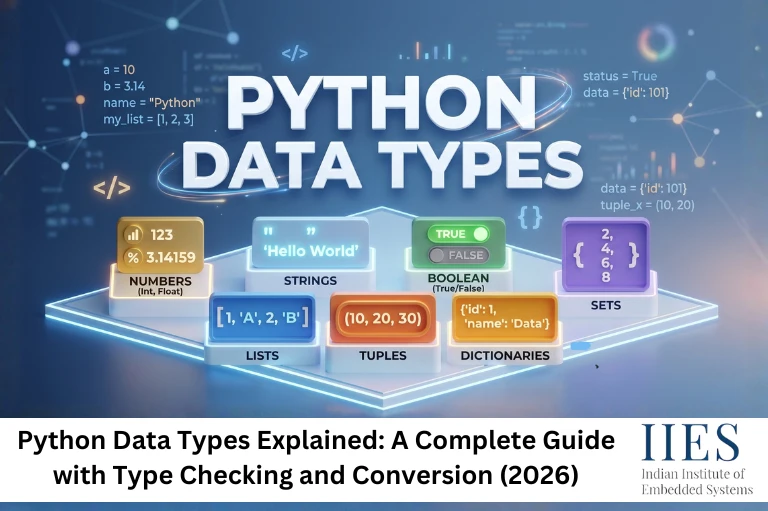
Python Data Types: The Complete Built-In Type Reference
In programming, the data type of a variable defines what kind of value it can hold and what operations can be performed on it. Python, being a dynamically-typed language, automatically assigns a data type to variables at runtime based on their value. Understanding Python’s data types is crucial for writing efficient, error-free code and making the most of Python’s capabilities.
Python offers a rich set of built-in data types that cater to various needs, from handling simple text to managing complex data structures:
- Text Type: str for storing strings
- Numeric Types: int, float, and complex for numeric computations
- Sequence Types: list, tuple, and range for managing ordered collections of data
- Mapping Type: dict for key-value pair storage
- Set Types: set and frozenset for collections of unique elements
- Boolean Type: bool for logical values (True or False)
- Binary Types: bytes, bytearray, and memoryview for handling binary data
- None Type: NoneType for representing the absence of a value
Data types specify the size, range, and operations that can be performed on a variable.

Text Type: str
str is used to store characters and groups of characters.
python

s = 'a'                   # Single character

s = "thenmozhi"           # String

address = """1234 Elm Street

Springfield IL 62701"""   # Multi-line string
Numeric Types: int, float, complex
python

i = 5

f = 12.22

num1 = 2 + 3j    # Complex number: real part 2, imaginary part 3

print(type(num1)) # Output: <class 'complex'>
Sequence Types: list, tuple, range
A list is a mutable (modifiable) sequence type that can store a collection of items, including mixed data types.
Disadvantages of arrays that Python lists address:
- Fixed Size: Fixed at creation time, making it inflexible for dynamic data storage
- Inefficient Insertions and Deletions: Elements must shift when inserting or deleting
- No Built-in Resizing: Arrays don’t automatically resize the way lists do
- Contiguous Memory Requirement: Large arrays can fail to allocate in fragmented memory
- Homogeneity: Many languages require all elements in an array to be the same type
- Limited Functionality: Basic storage without built-in sorting, searching, or dynamic memory management
Python List properties:
- Ordered: Elements maintain the order in which they were added
- Mutable: You can modify, add, or remove elements
- Heterogeneous: Can contain elements of different data types
- Indexed: Access elements using zero-based indexing
python

empty_list = []

int_list = [1, 2, 3, 4]

mixed_list = [1, "hello", 3.14, True]

nested_list = [[3, 4], [5, 2], [6, 3]]

# Accessing

my_list = [1, 2, 3, 4, 5]

print(my_list[0])  # Output: 1

# Updating

my_list[0] = 12

# Adding

my_list.append(50)     # Add to end

my_list.insert(1, 15)  # Insert at index 1

# Removing

my_list.pop()          # Removes last element

my_list.remove(25)     # Removes value 25

del my_list[1]         # Deletes by index

# Slicing

sub_list = my_list[1:3]  # Elements at index 1 and 2

# Length

print(len(my_list))
Tuple: An immutable sequence type, elements cannot be changed once created.
python

my_tuple = (1, 2, 3)

empty_tuple = ()

single_element_tuple = (42,)  # Comma required for single-element tuples

coordinates = (10.5, 20.3)

print(coordinates[0])  # Output: 10.5
Range: Generates an immutable sequence of numbers. Used commonly in loops.
python

range(stop)              # From 0 to stop-1

range(start, stop)       # From start to stop-1

range(start, stop, step) # Custom step size
Mapping Type: dict
A dictionary is a collection of key-value pairs. Unordered and mutable. Keys must be unique and immutable.
python

my_dict = {'name': 'Alice', 'age': 25, 'city': 'New York'}

print(my_dict['name'])  # Output: Alice
Set Types: set and frozenset
A set is an unordered collection of unique elements. Used to eliminate duplicates or perform mathematical set operations.
python

my_set = {1, 2, 3, 4}

my_set.add(5)

print(my_set)  # Output: {1, 2, 3, 4, 5}
A frozenset is like a set but immutable — it can be used as a dictionary key because it is hashable.
python

my_frozenset = frozenset([1, 2, 3])

# my_frozenset.add(4)  # Raises AttributeError — frozensets cannot be modified

print(my_frozenset)    # Output: frozenset({1, 2, 3})

Boolean Type: bool
The bool type has two values: True and False. Used for logical operations and condition checks.
The data types above form Python’s core vocabulary. The practical questions that come up in real code, how to correctly verify what type a variable holds at runtime, what type annotations actually enforce, and how to convert between types safely, deserve a closer look.
How Should You Check Data Types in Python: isinstance() vs type()?
Python gives you two ways to inspect a variable’s type at runtime: type() and isinstance(). They look similar but behave differently when inheritance is involved, and that difference matters more than most beginners expect.
type(x) returns the exact class of x. isinstance(x, SomeType) checks whether x is an instance of SomeType or any of its subclasses. In the vast majority of practical cases, isinstance() is the correct choice.
python

class Vehicle:

    pass

class Car(Vehicle):

    pass

my_car = Car()

print(type(my_car) == Vehicle)      # False — Car is not exactly Vehicle

print(isinstance(my_car, Vehicle))  # True — Car is a subclass of Vehicle
Students consistently reach for type() when isinstance() is the appropriate tool. Once you’re writing data validation, input guards, or any code that should accept a type and its subclasses, type() gives false negatives.
isinstance() vs type() – Quick Comparison
Feature | isinstance() | type() |
Checks subclasses | Yes | No |
Handles class inheritance | Yes | No |
Pythonic standard for validation | Yes | Rarely |
Exact type identity check | No | Yes |
Recommended use | Type validation, input checks | Comparing two known types exactly |
For most type-checking tasks – including input validation in embedded Python scripts handling sensor or serial data – isinstance() is the correct and Pythonic choice.
What Are Python Type Annotations and Do They Add Runtime Safety?
Python type annotations (also called type hints) let you label the expected type of variables and function parameters:
python

x: int = 3

name: str = "Alice"

def add(a: int, b: int) -> int:

    return a + b
One thing that trips up developers from statically typed languages like C++ or Java: Python does not enforce type annotations at runtime. The interpreter accepts the following without any error:
python

x: int = 3.7   # No error - Python ignores the annotation entirely at runtime
Type hints are purely informational metadata. Without a static analysis tool like mypy or pyright, they have no effect on program execution. When you run those tools separately, they scan your code and flag type mismatches – but they operate outside the interpreter, not within it.
This has practical implications. A Python script on an IoT device that reads sensor values and annotates a variable as int will not fail because the annotation is wrong – it will silently continue with whatever type the value actually is. Annotations improve readability and help type checkers catch bugs in development, but they are not a substitute for runtime validation.
Use type annotations when they improve code clarity and when you have mypy or pyright integrated into your development workflow. Don’t rely on them as a runtime safety net.

How Does Python Type Conversion Work? Implicit vs Explicit
Python handles type conversion in two ways.
Implicit conversion (coercion) happens automatically when Python promotes one type to prevent data loss:
python

result = 5 + 2.5       # int + float → Python converts silently to float

print(result)           # Output: 7.5

print(type(result))     # <class 'float'>
Explicit conversion (casting) requires calling a built-in function:
python

x = int("42")     # str → int

y = float(3)      # int → float

z = str(100)      # int → str
A common mistake: passing a string that can’t be parsed as a number to int(). This raises a ValueError. In production code, especially when parsing user input, serial port data, or file contents, always wrap explicit conversion in a try/except block:
python

raw = "sensor_error"

try:

    value = int(raw)

except ValueError:

    value = 0

    print(f"Conversion failed for input: {raw}")
One nuance worth knowing: bool is a subclass of int in Python, so True + True evaluates to 2 without any error. While this is technically valid, using booleans in arithmetic expressions makes intent unclear. Reserve bool for logical conditions; use explicit integers for arithmetic.
Python’s Type System in 2026: What’s Changed
Python 3.12 and 3.13 brought meaningful improvements to the type annotation system – cleaner syntax for generic classes, updated TypeVar semantics, and better support for structural subtyping. As of 2025, Python holds the top position on the TIOBE Index and remains the most-used language on GitHub, with increasing adoption in embedded and IoT development through MicroPython and CircuitPython. In these hardware contexts, understanding data types and type conversion is directly relevant: parsing I2C register values, handling binary sensor data, and managing serial buffers all require precise control over what type your variables are holding at any given point.
Strengthen Your Python Foundation with IIES
IIES (Indian Institute of Embedded Systems), Bangalore, offers a dedicated Python Programming for IoT and Embedded Systems course that covers Python’s data types, type checking, type conversion, and hands-on scripting for hardware applications. Students work through practical labs involving sensor data parsing, GPIO scripting, and serial communication – contexts where Python’s dynamic type system becomes immediately relevant. If you’re building a foundation in Python or moving toward IoT development, this structured course gives you the applied skills to use Python confidently in real projects.
Conclusion
Python’s built-in data types – str, int, float, bool, list, tuple, dict, set, and more – give you a flexible, expressive set of tools for representing and manipulating data. But knowing the types themselves is only part of the picture. Knowing how to check types correctly with isinstance(), understanding what type annotations actually enforce (which is less than most people assume), and handling type conversion safely with proper error handling – these are the skills that show up in production code.
Python’s dynamic typing is a genuine strength when used carefully. Pair it with proper validation, explicit conversion where needed, and static type checking tools in your development workflow, and it produces clean, reliable code.