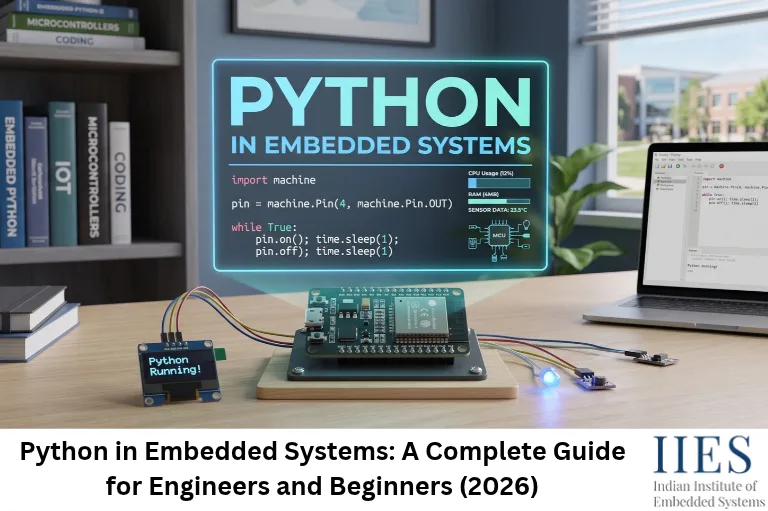
Python in embedded systems is the use of the Python language to program, control, test or support embedded hardware, either directly on the device or alongside it on a PC.
That “alongside it” part matters. Most beginners see only one-third of the picture. Python appears in three places:
1. Python on Embedded Linux Boards
- Full standard Python (CPython) runs on boards like Raspberry Pi, BeagleBone and NVIDIA Jetson
- Typically needs an operating system and hundreds of MB of RAM or more
- Great for gateways, computer vision, edge AI and automation
- Common libraries:
gpiozero, RPi.GPIO, OpenCV, NumPy
2. Python on Microcontrollers
- A trimmed-down Python (MicroPython or CircuitPython) runs directly on the chip, with no operating system
- MicroPython can run in as little as 256 KB of flash and 16 KB of RAM
- Popular chips: RP2040 (Raspberry Pi Pico), ESP32, STM32, nRF52
3. Python Around Your Firmware (the Hidden One)
- Serial loggers, test automation, flashing tools, build systems and hardware-in-the-loop (HIL) testing
- Even teams writing 100% C firmware use Python daily. Zephyr’s
west, PlatformIO, esptool and pyOCD are all Python-based
Pro Tip: When someone says “Python can’t be used in embedded,” ask which of these three they mean. Usually they only mean the second one.

Why Python Is Gaining Ground in Embedded Development
Python is gaining ground because it shortens the path from idea to working prototype, and modern microcontrollers are finally powerful enough to run it.
- Faster prototyping: edit a line, save, run. No long compile-and-flash cycle
- Interactive REPL (Read-Eval-Print Loop): type a command and watch a pin change instantly
- Readable code: easier reviews and smoother handovers between hardware and software engineers
- Capable, affordable chips: the Raspberry Pi Pico has a dual-core Arm Cortex-M0+ at up to 133 MHz with 264 KB of SRAM, and the ESP32 adds built-in Wi-Fi and Bluetooth
- Huge ecosystem: ready-made drivers for sensors and displays, plus MQTT, JSON and networking support
- Python-first AI and cloud tooling: device code, data analysis and dashboards can share one language
- Gentle entry point: newcomers can get a working hardware project in an afternoon
Types of Python for Embedded Systems: CPython vs MicroPython vs CircuitPython
There are three main ways to run Python on embedded hardware: standard CPython on Linux boards, MicroPython on microcontrollers, and CircuitPython, a beginner-friendly fork of MicroPython.
| Flavor | Runs on | Typical hardware | Best for |
|---|
| CPython (standard Python) | Embedded Linux | Raspberry Pi, BeagleBone, Jetson | Gateways, vision, edge AI |
| MicroPython | Bare-metal microcontrollers | Pico, ESP32, STM32, nRF52 | Prototypes, IoT nodes, sensor logic |
| CircuitPython | Bare-metal microcontrollers | Adafruit boards, Pico, ESP32-S2/S3, nRF52840 | Beginners, learning, quick demos |
MicroPython vs CircuitPython: What’s the Difference?
- Origin: CircuitPython is Adafruit’s fork of MicroPython, built to be beginner-friendly
- Workflow: CircuitPython boards show up as a USB drive named
CIRCUITPY. Save code.py and it runs instantly - Hardware APIs: MicroPython uses the
machine module. CircuitPython uses board, digitalio, busio and friends - Ecosystem: CircuitPython has a large, well-documented driver bundle. MicroPython has broader chip support, including a mature STM32 port
- Portability: the core language is the same, but hardware code usually needs small changes when you switch
How Does Python Actually Run on a Microcontroller?
On a microcontroller, Python does not run like a normal PC program. The chip runs a small firmware that contains a Python interpreter, and that interpreter executes your script.
Think of the MicroPython firmware as a translator living inside the chip: you speak Python, it speaks to the hardware. (If you’re new to the hardware side, brush up on how a microcontroller works first.)
Your script (main.py)
        |
MicroPython runtime (bytecode compiler + virtual machine + garbage collector)
        |
Hardware drivers (machine module: Pin, ADC, I2C, SPI, UART...)
        |
Microcontroller peripherals (GPIO, ADC, timers, communication blocks)
What Happens at Power-On
- The firmware starts and sets up the runtime
boot.py runs (optional early setup)main.py runs (your application). CircuitPython looks for code.py instead- A REPL stays available over USB or UART for live testing
Under the Hood
- Your code is compiled to bytecode and executed by a virtual machine on the chip
- A garbage collector frees unused memory automatically (convenient, but it can cause small pauses)
- Scripts live in a small filesystem on flash memory
- Pre-compiled
.mpy files and “frozen” modules (built into the firmware) save RAM and startup time
Talking to Hardware: The machine Module Explained
In MicroPython, the machine module is the bridge between your Python code and the chip’s peripherals, and each object maps to a core embedded concept you already know from C.
| MicroPython object | What it controls | Embedded concept |
|---|
Pin | LEDs, buttons, digital signals | GPIO |
ADC | Analog sensors | Analog-to-digital conversion |
PWM | Dimming, servo and motor speed | Pulse width modulation |
I2C / SoftI2C | Sensors, OLED displays, RTC chips | I2C protocol |
SPI | SD cards, fast displays, RFID readers | SPI protocol |
UART | GPS, GSM and Bluetooth modules | Serial communication |
Timer | Periodic tasks | Hardware timers and interrupts |
WDT | Auto-recovery from hangs | Watchdog timer |
- I2C, SPI and UART are the same protocols you would configure in C. Python only changes how you write the setup
- Common mistake: mixing up GPIO numbers and physical pin numbers.
Pin(25) means GPIO25, not physical pin 25
Remember: Python hides syntax, not physics. You still need pull-up resistors, debouncing and a datasheet.
Which Boards Run Python? (Choosing Your Hardware)
| Board family | Chip | Why choose it | Python support |
|---|
| Raspberry Pi Pico, Pico W, Pico 2 | RP2040 / RP2350 | Beginner-friendly, dual-core, programmable I/O (PIO) | MicroPython, CircuitPython |
| ESP32, ESP32-S3, ESP32-C3 | Espressif | Built-in Wi-Fi and Bluetooth for IoT | MicroPython; CircuitPython on S2/S3/C3 variants |
| STM32 boards (Nucleo, Pyboard) | STM32 | Industrial-grade MCUs, rich peripherals | MicroPython; selected boards on CircuitPython |
| nRF52840 boards | Nordic | Bluetooth Low Energy, low power | CircuitPython, MicroPython |
| Raspberry Pi 4/5, BeagleBone | Linux SBCs | Full OS, camera, networking, AI | Standard Python (CPython) |
How to Choose
- Learning the fundamentals: Raspberry Pi Pico
- Wi-Fi or Bluetooth on a budget: ESP32
- Low-power Bluetooth wearables: nRF52840
- Camera, AI or a full operating system: Raspberry Pi
Getting Started: Set Up Your First Board in 5 Steps (Raspberry Pi Pico)
- Download the MicroPython
.uf2 firmware for your board from micropython.org - Hold the BOOTSEL button, plug in the USB cable, then release. The board appears as a USB drive
- Drag the
.uf2 file onto the drive. The board reboots by itself - Install Thonny, select the MicroPython (Raspberry Pi Pico) interpreter and open the REPL
- Type
print("Hello, embedded world") and press Enter
- ESP32 boards are flashed with
esptool instead of drag-and-drop - Prefer the command line?
mpremote (the official tool) handles the REPL and file copying. VS Code with the MicroPico extension is another good option
5 Python Code Examples for Embedded Systems
These examples target a Raspberry Pi Pico. Pin numbers differ on other boards, so check your pinout first.
Example 1: Blink an LED (GPIO Output)
from machine import Pin
import time

led = Pin(25, Pin.OUT)   # onboard LED on Pico (use Pin("LED", Pin.OUT) on Pico W)

while True:
    led.toggle()
    time.sleep(0.5)
- Sets the pin as an output, then flips it every 0.5 seconds
- Embedded concept: the same step as setting a direction register in C
Example 2: Read Temperature with the ADC (RP2040)
from machine import ADC
import time

sensor = ADC(4)              # internal temperature sensor on RP2040
factor = 3.3 / 65535         # scale the 16-bit reading to volts

while True:
    voltage = sensor.read_u16() * factor
    temp_c = 27 - (voltage - 0.706) / 0.001721
    print("Temperature: {:.1f} C".format(temp_c))
    time.sleep(1)
read_u16() returns a value from 0 to 65535, even though the Pico’s ADC is 12-bit. MicroPython scales it for you- Embedded concept: ADC scaling and applying the conversion formula from the datasheet
Example 3: React to a Button with an Interrupt
from machine import Pin
import time

led = Pin(25, Pin.OUT)
button = Pin(14, Pin.IN, Pin.PULL_UP)
last_press = 0

def on_press(pin):
    global last_press
    now = time.ticks_ms()
    if time.ticks_diff(now, last_press) > 200:   # ignore bounces within 200 ms
        led.toggle()
        last_press = now

button.irq(trigger=Pin.IRQ_FALLING, handler=on_press)

while True:
    time.sleep_ms(100)   # main loop stays free for other work
PULL_UP means the pin reads HIGH until the button (wired to GND) pulls it LOW- The 200 ms check is a simple software debounce
- Keep interrupt handlers short and avoid memory allocation inside them (printing, string formatting, growing lists), especially with hard interrupts
- Pro Tip: call
micropython.alloc_emergency_exception_buf(100) early so errors inside interrupts show a readable message
Example 4: Run Two Tasks Together with asyncio
import asyncio
from machine import Pin

led = Pin(25, Pin.OUT)

async def blink(delay_ms):
    while True:
        led.toggle()
        await asyncio.sleep_ms(delay_ms)

async def monitor():
    while True:
        print("Checking sensors...")
        await asyncio.sleep(2)

async def main():
    asyncio.create_task(blink(500))
    await monitor()

asyncio.run(main())
- While one task waits, the other runs, so nothing blocks the whole program
- Embedded concept: cooperative scheduling. It is not preemptive like an RTOS, so a task that never awaits will hog the CPU
- On older MicroPython versions the module is called
uasyncio
Example 5: Log Device Data on Your PC with pySerial
import serial   # pip install pyserial

with serial.Serial("COM3", 115200, timeout=1) as port:
    while True:
        line = port.readline().decode(errors="ignore").strip()
        if line:
            print(line)
- Use
/dev/ttyACM0 or /dev/ttyUSB0 on Linux instead of COM3 - Embedded concept: Python as a toolchain. From here you can parse, plot, save to CSV or assert test results
Python vs C/C++ in Embedded Systems
C and C++ are faster, smaller and more predictable than Python on a microcontroller, while Python is quicker to write, easier to read and better for prototyping.
| Factor | Python (MicroPython) | C / C++ |
|---|
| Execution speed | Slower (interpreted bytecode) | Fastest (compiled machine code) |
| Memory use | Higher (runtime, heap, garbage collector) | Minimal and fully controllable |
| Real-time determinism | Weaker (GC pauses, interpreter overhead) | Strong (bare-metal or RTOS) |
| Development speed | Very fast (REPL, no compile step) | Slower (compile, flash, debug cycle) |
| Hardware control | Good through libraries, limited cycle-level control | Complete (registers, DMA, interrupts) |
| Power efficiency | Fine for periodic tasks | Best for coin-cell and battery designs |
| Learning curve | Gentle | Steeper (pointers, memory, registers) |
| Safety-critical use | Rare | Standard (MISRA C, ISO 26262, IEC 62304) |
| Best for | Prototypes, IoT, tooling, learning | Production firmware, drivers, hard real-time |
The Best of Both Worlds
- Python for application logic, communication, dashboards and quick experiments
- C/C++ for drivers, interrupt routines and timing-critical loops
- MicroPython can call C through user C modules, so you can port only the hot path
- Many teams prototype in Python, then move the proven design to production C (see embedded C best practices and C optimization techniques for that stage)
Real-World Use Cases of Python in Embedded Systems
Python is used in embedded systems for IoT devices, prototyping, test automation, edge AI, robotics and data logging, mostly where timing is flexible and development speed matters.
- IoT sensor nodes: an ESP32 reading temperature and humidity and publishing over MQTT
- Smart-home gateways: Raspberry Pi running Python-based platforms such as Home Assistant
- Edge AI and vision: OpenCV and TensorFlow Lite on Raspberry Pi or Jetson
- Robotics: ROS 2 nodes in Python for high-level logic, with motor control on a microcontroller
- Test automation and HIL: pytest with pySerial or PyVISA driving instruments and devices under test
- Industrial data logging: reading Modbus devices with
pymodbus and pushing data to dashboards - Wireless projects: Wi-Fi, BLE and LoRa nodes (see wireless communication in embedded systems for protocol choices)
- Rapid prototyping: proving a sensor or algorithm before committing to production C

Where Python Struggles: Limitations You Should Know
Python struggles in embedded systems when you need hard real-time timing, tiny memory footprints, maximum battery life or safety certification.
- Timing jitter: interpreter overhead and garbage collection can add small, unpredictable delays
- Memory pressure: the runtime uses RAM and flash, and big lists or strings can trigger
MemoryError on small chips - Raw speed: tight loops such as bit-banging or signal processing are much slower than C
- Partial library support: MicroPython covers a subset of the standard library, so most PyPI packages will not run unchanged
- Certification: safety-critical fields like automotive, medical and aviation rely on certified C/C++ toolchains and RTOS options
- Debugging: mostly REPL and print statements, compared with full SWD/JTAG breakpoints in C workflows
- Power: heavy CPU use costs energy, and optimized C usually wins on coin-cell designs
How to Make Python Faster and Leaner on Microcontrollers
You can cut Python’s overhead on a microcontroller by controlling memory allocation, using pre-compiled code and handing timing-critical work to hardware.
- Preallocate buffers: use
bytearray and memoryview instead of creating new objects inside loops - Avoid string concatenation in loops: it creates garbage quickly
- Plan garbage collection: call
gc.collect() at moments you choose and watch gc.mem_free() - Use
const(): from micropython import const for fixed values - Compile hot functions:
@micropython.native and @micropython.viper often give a big speedup (viper needs typed code) - Freeze modules and use
.mpy: saves RAM and startup time - Offload timing to hardware: PWM, timers, DMA and the PIO state machines on RP2040/RP2350. Python configures them, hardware does the precise work
- Write C modules: for the truly critical code path
- Use asyncio: instead of blocking
time.sleep() calls - Add a watchdog:
machine.WDT recovers the device from hangs
Best Practices and Common Mistakes
Best Practices
- Keep interrupt handlers tiny: set a flag, then handle the logic in the main loop
- Always enable a watchdog on deployed devices
- Wrap sensor and network code in
try/except and recover with a retry or reset - Keep Wi-Fi credentials and settings in a separate config file, never hard-coded in shared code
- Use
time.ticks_ms() and time.ticks_diff() for timing instead of time.time() - Use
machine.deepsleep() for battery projects - Test on the real board early, because simulators hide timing and memory issues
- Keep code in Git and pin your driver library versions
Mistakes Beginners Make
- Mixing up GPIO numbers and physical pin numbers
- Forgetting pull-up/pull-down resistors and button debouncing
- Blocking the whole program with long
time.sleep() calls - Ignoring
MemoryError until the device crashes in the field - Copying desktop Python libraries that do not exist in MicroPython
- Driving motors or relays straight from a GPIO pin instead of using a driver or transistor
Your Learning Roadmap: From Python Basics to Embedded Projects
The smoothest path is Python basics first, hardware fundamentals second, MicroPython projects third, and embedded C last to complement it.
- Python basics: variables, loops, functions, lists, dictionaries and Python data types
- Electronics basics: voltage, current, resistors and how a microcontroller works
- First hardware projects: LED, buttons, ADC and PWM on a Pico or ESP32
- Communication protocols: I2C, SPI and UART with real sensors and displays
- IoT: Wi-Fi, MQTT, HTTP APIs and BLE
- Reliability: asyncio, watchdog, sleep modes and memory management
- Embedded C/C++: registers, interrupts and RTOS basics, because most production firmware roles expect them
- Portfolio: publish two or three projects with code, circuit diagrams and photos
5 Beginner-Friendly Python Embedded Projects
| Project | Hardware | You will practice |
|---|
| Temperature and humidity logger | ESP32 + BME280 | I2C, JSON, MQTT |
| Smart plant monitor | Pico + soil moisture sensor + OLED | ADC, I2C display |
| Door-open alert | ESP32 + reed switch | Interrupts, Wi-Fi notifications |
| RFID attendance system | Pico or ESP32 + MFRC522 | SPI, data storage |
| BLE beacon scanner | ESP32 or nRF52840 | Bluetooth Low Energy |
Is Python the Future of Embedded Systems?
Python will not replace C, but it is becoming a permanent part of the embedded toolbox.
- Chips keep getting faster and richer in memory, so the cost of running an interpreter keeps shrinking
- Raspberry Pi, Adafruit and Arduino all offer official MicroPython or CircuitPython support on selected boards
- Edge AI and vision workloads on Linux boards are overwhelmingly Python-first
- Build, flash and test tooling is increasingly Python-driven
- Production firmware still leans on C, C++ and, increasingly, Rust, so treat Python as a force multiplier, not a replacement
For the bigger career picture, read about the scope of embedded systems in the future.
Key Takeaways
- Python in embedded systems lives in three places: Linux boards, microcontrollers and your PC-side tooling
- MicroPython runs in as little as 256 KB of flash and 16 KB of RAM
- Python wins on development speed. C wins on speed, memory and determinism
- Offload timing-critical work to hardware peripherals (PWM, timers, PIO) or C modules
- Use both: Python for logic and tooling, C for the performance-critical core
- Start with a Pico or ESP32, build projects, then add embedded C

Conclusion
Python has quietly moved from “hobby language” to a practical part of embedded development. Whether you are prototyping a sensor node, automating a test bench or building an IoT gateway, it lets you move faster, and C is still there when you need every cycle.
Pick a board, run the blink example, then push on to sensors and Wi-Fi. That is how real skill gets built.