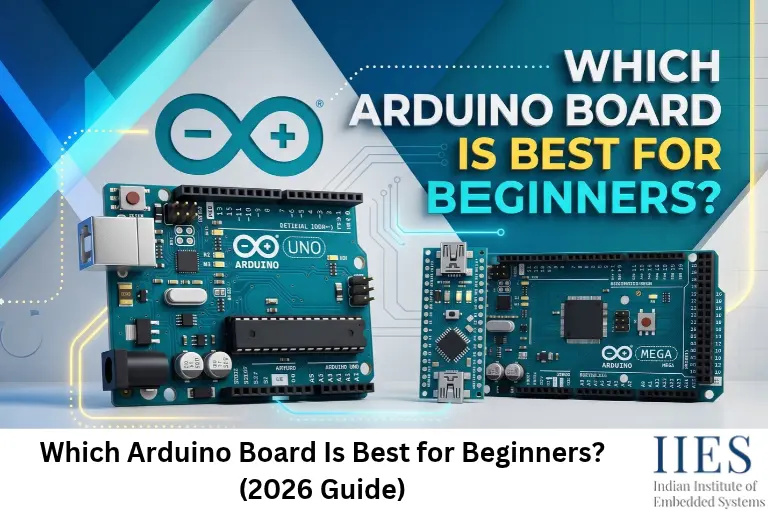
Why the Arduino UNO Is Still the Safest First Board
The Arduino UNO is the safest first board because most beginner tutorials, example sketches, libraries and shields are written for its layout and 5 V logic. When your board matches the guide you follow, nothing surprises you.
- Tutorial match: Buy the board your tutorial uses. For beginners, that is almost always an UNO.
- Forgiving 5 V logic: Common beginner parts such as LEDs, buzzers, push buttons, HC-SR04 ultrasonic sensors, relay modules and 16×2 LCDs work directly with 5 V signals.
- Socketed headers: Jumper wires plug straight into the board and shields stack on top, with no soldering.
- Cheap mistakes: If you short a pin, replacing an UNO costs far less than replacing a wireless or Linux-based board.
- Skills that transfer: The same digitalWrite(), analogRead() and Serial.println() calls work on Nano, Mega, ESP32 and many other boards.
- Huge community: Almost every error message you will meet has already been solved in a forum thread.
How to Choose Your First Arduino: 7 Questions That Matter
Answer these seven questions before you compare specs. They narrow the choice faster than any datasheet.
- Which tutorial, book or video series will you follow? Buy the board it uses.
- 5 V or 3.3 V? UNO boards run at 5 V. The Nano ESP32, Nano 33 series, MKR boards and most ESP32 boards run at 3.3 V, so many 5 V modules need level shifting.
- How many pins do you need? An UNO gives you 14 digital pins and 6 analog inputs. A Mega gives you 54 and 16.
- How much memory will your sketches use? The UNO R3 has only 2 KB of SRAM, and display-heavy or library-heavy sketches use it up quickly.
- Do you need wireless right now? If not, skip it for now. If yes, look at the UNO R4 WiFi.
- What is your real budget? The board is only part of the cost. A breadboard, LEDs, resistors and sensors matter just as much.
- Do you want chip-level or API-level practice? Register-level AVR programming suits the UNO R3’s ATmega328P. The Arduino API works on every board.
Four Specs in Plain English
- Flash memory: Where your program is stored, like a bookshelf. A bigger shelf holds bigger programs.
- SRAM: The working memory your program uses while it runs, like a desk. When the desk is too small, you get strange crashes and resets.
- Logic voltage: The signal level on the pins, either 5 V or 3.3 V. Connecting the wrong level to a pin can damage a part.
- Clock speed: How fast the chip executes instructions. For beginner projects, memory and pin count matter more than raw speed.
Arduino UNO R3 vs R4 Minima vs R4 WiFi: Side-by-Side Comparison
Feature | UNO R3 | UNO R4 Minima | UNO R4 WiFi |
Main chip | ATmega328P (8-bit AVR, 16 MHz) | Renesas RA4M1 (32-bit Arm Cortex-M4, 48 MHz) | Same RA4M1 plus an ESP32-S3 module |
Flash / SRAM | 32 KB / 2 KB | 256 KB / 32 KB | 256 KB / 32 KB |
Logic voltage | 5 V | 5 V | 5 V |
USB port | USB-B | USB-C | USB-C |
Wi-Fi / Bluetooth | No | No | Yes (Wi-Fi + Bluetooth LE) |
Extras | Simple and proven | 12-bit DAC, CAN bus, op-amp | Adds a 12×8 LED matrix and Qwiic connector |
Current per I/O pin | About 20 mA | 8 mA | 8 mA |
Best for | Lowest cost, most tutorials, AVR register practice | Modern genuine starter board | IoT-minded beginners |
All three boards share the same size, pin layout and 5 V logic, so most shields fit. Hardware fit does not always guarantee software compatibility, so check library support before buying a specialised shield.
Rule of thumb: If a tutorial names AVR registers or timers directly, use an R3. If it only uses standard Arduino functions, either board works.
The Best Arduino Boards for Beginners, Explained
1. Arduino UNO R3: The Classic Default
- Best for: Absolute beginners, tight budgets and anyone following older tutorials.
- Key specs: ATmega328P at 16 MHz, 32 KB flash, 2 KB SRAM, 1 KB EEPROM, 5 V logic, USB-B.
- Why it works: More than a decade of tutorials, libraries and shields, plus very cheap clones.
- Hidden advantage: The ATmega328P is the classic chip for practising register-level C (DDRx, PORTx and timer registers). Those registers do not exist on the R4’s Renesas chip.
- Watch out for: Only 2 KB of SRAM, so large display or Wi-Fi sketches run out of memory. There is no wireless, and many clones need a CH340 USB driver.
- Verdict: Still the safest pick if you value maximum community support and the lowest price.
2. Arduino UNO R4 Minima: The Modern Default
- Best for: Beginners who want a genuine board with plenty of room to grow.
- Key specs: Renesas RA4M1 (32-bit Arm Cortex-M4, 48 MHz), 256 KB flash, 32 KB SRAM, 5 V logic, USB-C.
- Why it works: It keeps the UNO R3 size, pinout and 5 V logic, so beginner tutorials still work, but it has 16 times the SRAM and 8 times the flash.
- Watch out for: Each I/O pin is limited to 8 mA (the R3 handled about 20 mA), so use 470 Ω to 1 kΩ resistors with LEDs. A few older libraries written for AVR chips may need updates.
- Verdict: A strong first board in 2026, especially in India, where the Ek version costs well below the imported one and not far above many clones.
3. Arduino UNO R4 WiFi: The All-in-One Pick
- Best for: Beginners who already know they want IoT, dashboards or wireless projects.
- What it adds: An ESP32-S3 module for Wi-Fi and Bluetooth LE, a 12×8 LED matrix for instant visual feedback, a Qwiic connector for solder-free sensors and a battery pin for the real-time clock.
- Works with: Arduino Cloud and other IoT platforms, without extra modules.
- Watch out for: Wireless adds credentials, networks and security to your debugging list. Learn digital I/O and sensors first.
- Verdict: The closest thing to a do-it-all beginner Arduino, as long as you do not start with networking on day one.
4. Arduino Nano Family: The Breadboard-Friendly Option
- Best for: Compact projects and anyone already comfortable with breadboard wiring.
- Which Nano? The classic Nano (ATmega328P, the same brain as the UNO R3), the Nano Every and the Nano R4 (Renesas RA4M1, 5 V).
- Why it works: UNO-class capability in a 45 × 18 mm board, and very cheap clones are everywhere. Sketches move between an UNO R3 and a classic Nano with almost no changes.
- Watch out for: No shield support, a breadboard is mandatory, and wiring errors are easier to make. Clones often need the CH340 driver.
- Verdict: A great second board, and a fine first board if you already own a breadboard and basic kit.
5. Arduino Mega 2560: When You Run Out of Pins
- Best for: Projects with many sensors, motors, displays or serial devices.
- Key specs: ATmega2560 at 16 MHz, 256 KB flash, 8 KB SRAM, 4 KB EEPROM, 54 digital pins, 16 analog inputs, four hardware serial ports, 5 V logic.
- Why it works: It codes like an UNO, so projects usually move up to a Mega with minimal changes.
- Watch out for: It is bigger and pricier, and your first ten projects will rarely need 54 pins. Makers on forums often admit that buying a Mega first meant paying for capacity they never used.
- Verdict: Skip it for now. Buy it when a real project runs out of pins.
Boards to Save for Later
- ESP32 and ESP8266 boards (NodeMCU, ESP-01, Wemos D1 Mini): Very cheap, Wi-Fi enabled and programmable from the Arduino IDE. Their 3.3 V logic and extra setup make them better second boards.
- Arduino Nano ESP32: An ESP32-S3 in the Nano footprint, also 3.3 V.
- Arduino UNO Q: A Debian Linux computer (Qualcomm Dragonwing QRB2210) plus an STM32U585 microcontroller on an UNO-shaped board, programmed through Arduino App Lab. Excellent for edge AI projects, but overkill for your first blink and considerably pricier than an UNO R4 Minima.
- Arduino Leonardo: Native USB, so it can act as a keyboard or mouse. The UNO R4 boards can do this too, so you rarely need a Leonardo now.
Is There One Arduino That Does Everything?
No. Every board trades something away: size, pin count, processing power, price, wireless support or simplicity. Experienced makers say it bluntly in beginner discussions: there is no single Arduino that does everything.
A very common beginner plan sounds smart: “I’ll buy one board with Wi-Fi and everything built in, so I never have to buy another.” It usually backfires:
- You pay for features you will not touch for months.
- Debugging gets harder. A loose jumper wire and a wrong Wi-Fi password look similar when nothing works.
- 3.3 V boards need level shifters for many 5 V sensors and modules.
- Your first board will not be your last. Projects change, and boards are cheap.
What to do instead:
- Start with an UNO R3 or R4 Minima and finish eight to ten small projects.
- If wireless is a must from day one, choose the UNO R4 WiFi, which keeps the familiar UNO layout.
- Add an ESP32, Nano or Mega only when a project demands it.
What Experienced Makers Say (and What Has Changed Since)
Beginner threads on maker forums, including Reddit’s hardware help communities, keep returning to the same advice. Here is how it holds up in 2026:
- “Start with an UNO, then specialise.” Still true. Add a Nano for compact builds or a Mega for pin-hungry projects once you know what you need.
- “UNO and Nano are essentially the same brain.” True for the ATmega328P versions. Code and projects move between them easily.
- “Buy a kit, not just a board.” Still true. Without LEDs, resistors, a breadboard and a few sensors, you can do little more than blink the built-in LED.
- “Starting small saves money.” Still true. A burnt pin on a cheap board is a cheap way to learn what went wrong.
- “Old-school 5 V and 16 MHz are easier to troubleshoot.” True, and the UNO R4 keeps the 5 V logic, so you keep that advantage.
- “A Mega gives you more flash and SRAM.” Partly outdated. The UNO R4 has the same 256 KB of flash as a Mega 2560 and four times the SRAM (32 KB vs 8 KB). You now buy a Mega for pins, not memory.
- “Wi-Fi on a first board is ambitious.” Still wise advice, but the UNO R4 WiFi changes the picture. Wi-Fi and Bluetooth now arrive in the standard UNO layout instead of as an awkward add-on.
- “Cheap clones are fine, but check the seller.” Still true. Delivery times and quality vary, so buy from reputable sellers.
Original, Clone or Made-in-India Ek: What Should You Buy?
You have three realistic options in India:
- Genuine imported Arduino: Consistent quality and official support, and your purchase supports Arduino’s open-source ecosystem. It costs the most.
- Made-in-India UNO Ek R4 (genuine): Announced in January 2025 as Arduino’s first India-made boards, in Minima and WiFi versions (“Ek” means “one” in Hindi). Reports say they are built by Kaynes Technology and sold through authorised Arduino distributors, and the hardware matches the global R4 apart from the silkscreen labelling. They are priced well below the imported versions.
- Clones and compatibles: Much cheaper, with the same code and IDE. Build quality varies, and many use a CH340 USB chip that needs a driver.
Indicative Indian price ranges from retailer listings:
Board | Typical price range |
UNO R3 clone | ₹350 to ₹900 |
Genuine UNO R3 | ₹1,800 to ₹2,500 |
UNO Ek R4 Minima | ₹700 to ₹1,200 |
UNO Ek R4 WiFi | ₹1,300 to ₹1,800 |
UNO R4 WiFi (imported version) | ₹2,000 to ₹2,700 |
Prices change often and vary by seller, so treat these as rough guides and check current listings.
Smart buying checklist:
- Buy from authorised distributors or established retailers that offer returns.
- Be wary of “original Arduino” listings priced like clones, unless the listing is clearly the Ek version from a trusted seller.
- Check the chip: ATmega328P on an R3, Renesas RA4M1 on an R4.
- Test on arrival. Upload Blink first, then a Serial Monitor test.
- Install the CH340 driver if your clone needs it.
- Be careful with long-shipping marketplace listings, where quality and delivery are hit and miss.
- Want an official board first and clones later? That is a perfectly good plan. Many experienced makers start with a genuine UNO, then buy clones in bulk for spare projects.
What to Buy With Your Board: Starter Checklist
- The right USB cable: USB-B for an R3, USB-C for an R4. It must carry data, not just power.
- Breadboard and jumper wires: An 830-point breadboard plus male-to-male and male-to-female wires.
- LEDs and resistors: Assorted LEDs and 220 Ω, 470 Ω, 1 kΩ and 10 kΩ resistors.
- Inputs: Push buttons, a 10 kΩ potentiometer and an LDR.
- Sensors: DHT11 or DHT22, HC-SR04 ultrasonic, a PIR motion sensor and an LM35 temperature sensor.
- Outputs: A buzzer, an SG90 servo and a 16×2 I2C LCD.
- Nice to have: A multimeter for checking voltages and continuity.
Pro tip: A starter kit that includes a compatible UNO board gets you everything in one purchase. Just confirm that the board matches the R3 or R4 you decided on.
Your First Week: A 7-Step Learning Ladder
- Blink: Install Arduino IDE 2, select the right board and port, and upload Blink.
- Button and LED: Read a push button with digitalRead() and INPUT_PULLUP, and switch an LED.
- Analog and PWM: Read a potentiometer with analogRead() and fade an LED with analogWrite().
- Serial Monitor: Print temperature readings from an LM35 or DHT11.
- Distance meter: Use an HC-SR04 and a buzzer that beeps faster as an object gets closer.
- Servo and LCD: Move an SG90 servo with a potentiometer and show the value on an I2C LCD.
- Mini project: Build a smart dustbin lid or parking assistant that combines a sensor, logic and an actuator.
When one sensor is not enough, read our guide on how to connect multiple sensors to Arduino.
Common Beginner Mistakes (and Quick Fixes)
- Charge-only USB cable: The board lights up but no port appears. Swap in a data cable.
- Wrong board or port selected: Upload errors follow. Re-select both in the IDE.
- Missing driver on a clone: Install the CH340 driver.
- LED without a resistor: It can burn out the LED or stress the pin. On an R4, remember the 8 mA limit and use 470 Ω to 1 kΩ.
- Powering motors from the 5 V pin: Use an external supply and a driver (transistor, L293D or L298N), and join the grounds.
- Mixing 5 V and 3.3 V: Use a level shifter or a 3.3 V-compatible module.
- Using pins 0 and 1 on an R3: They share the USB serial link, so disconnect them while uploading.
- Using delay() everywhere: It freezes the board. Switch to millis() timing once you handle several tasks.
Final Verdict: Which Arduino Board Should You Buy First?
- Start here: UNO R3 (genuine or a good clone) or UNO Ek R4 Minima, plus a starter kit.
- Add wireless when a project needs it: UNO R4 WiFi or an ESP32 board.
- Specialise later: Nano for size, Mega for pins, UNO Q for Linux and AI.
Start simple, finish projects, then upgrade. The board you buy first matters far less than the projects you complete with it.