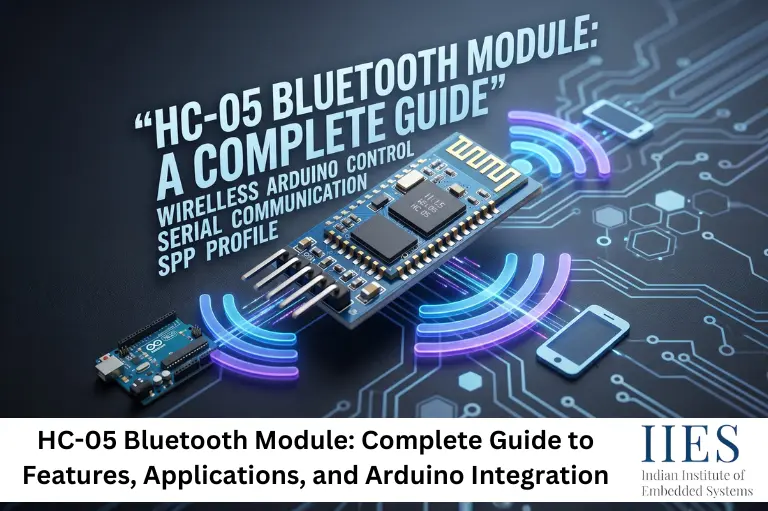
What Is the HC-05 Bluetooth Module?
The HC-05 Bluetooth module is a cost-effective solution for wireless communication between electronic devices. Designed based on the Bluetooth 2.0 standard, it supports the Serial Port Profile (SPP), which essentially creates a virtual serial link between two devices. This makes it extremely easy to replace a traditional wired UART connection with a wireless one, with very little change to the existing system architecture.
Its compact size, low power consumption, and ease of integration make it a popular choice among hobbyists and engineers alike. The module operates in the 2.4 GHz frequency range and can establish communication over a range of up to 10 meters, making it well-suited for short-range wireless applications. It operates on a voltage range of 3.6V to 6V, ensuring compatibility with a wide variety of electronic systems and development boards.

HC-05 Bluetooth Module Specifications at a Glance
Parameter | Details |
Bluetooth Version | 2.0 + EDR |
Frequency Range | 2.4 GHz ISM Band |
Communication Protocol | Serial Port Profile (SPP) |
Operating Voltage | 3.6V to 6V |
Communication Range | Up to 10 meters (open space) |
Default Baud Rate | 9600 bps |
Modes | Master and Slave |
Interface | UART (Serial) |
Configuration Method | AT Commands |
These specifications make the HC-05 module a capable and accessible solution for short-range data transfer in embedded systems.
Understanding Communication Modes: Master and Slave
One of the biggest advantages of the HC-05 Bluetooth module is its support for both Master and Slave modes. This makes the module more flexible for different wireless communication projects.
Master Mode
In Master mode, the HC-05 can actively search for and connect to other Bluetooth devices. This is useful in applications where the module acts as the main controlling device.
Common use cases include:
- Module-to-module communication
- Wireless sensor systems
- Industrial automation projects
Slave Mode
In Slave mode, the HC-05 waits for incoming Bluetooth connections from smartphones, laptops, or other devices. Most HC-05 modules come configured in Slave mode by default.
Common applications include:
The communication mode can be changed easily using AT commands, giving developers greater control over system design.
Pairing and Security
Pairing the HC-05 module with other Bluetooth devices is simple and beginner-friendly. The module supports PIN-based authentication for secure communication.
Default HC-05 PIN Codes
Users can also change:
- Device name
- PIN code
- Baud rate
- Bluetooth settings
using AT commands.
This basic security setup helps prevent unauthorized connections and is sufficient for most educational, DIY, and prototyping applications.
HC-05 vs HC-06: What Is the Difference?
Feature | HC-05 | HC-06 |
Bluetooth Version | Bluetooth 2.0 + EDR | Bluetooth 2.0 + EDR |
Communication Mode | Master and Slave | Slave Only |
Can Initiate Connection | Yes | No |
Can Accept Connection | Yes | Yes |
AT Command Support | Advanced Configuration | Limited Configuration |
Device-to-Device Communication | Supported | Not Supported |
Smartphone Connectivity | Supported | Supported |
Baud Rate Configuration | Flexible | Basic |
Best Use Cases | Robotics, Automation, Wireless Networks | Simple Wireless Control Projects |
Configuration Flexibility | High | Moderate |
Complexity | Slightly Advanced | Beginner-Friendly |
Cost | Slightly Higher | Slightly Lower |
Key Applications of the HC-05 Module
Wireless Serial Communication
The HC-05 module is widely used to replace wired UART communication with wireless connectivity. It allows microcontrollers and embedded systems to transfer data without long cable connections.
Robotics and Remote Control
HC-05 is commonly used in Bluetooth-controlled robots and automation projects. Commands from a smartphone or computer can control motors and sensors wirelessly in real time.
Home Automation
The module helps create smart home systems by enabling wireless control of lights, door locks, fans, and other appliances using Bluetooth-enabled devices.
Wearable Technology
HC-05 can connect wearable devices such as fitness trackers and monitoring systems to smartphones, making wireless data transfer simple and reliable.

Getting Started with the HC-05 Module: Hardware and Configuration
Understanding the Pin Configuration
To begin working with the HC-05 Bluetooth module, a basic understanding of its pin layout is necessary. The module has six pins:
- VCC: Power supply (3.6V to 6V)
- GND: Ground
- TXD: Transmit data
- RXD: Receive data
- EN (KEY): Enables AT command mode when pulled HIGH before power-on
- STATE: Indicates the connection status of the module
Connecting these pins correctly to the host microcontroller is essential for stable and reliable communication. A common mistake is connecting the HC-05’s TXD directly to a 5V Arduino pin without a voltage divider on the RXD line, which can damage the module over time.
Configuring with AT Commands
The HC-05 module is configured using AT commands, which are simple ASCII strings sent via the serial interface. These commands allow users to set essential parameters such as the device name, baud rate, pairing PIN, and communication mode.
To enter AT command mode, the EN pin must be held HIGH when the module is powered on. The module’s LED will blink slowly, indicating it is ready to receive AT commands. Some commonly used commands include:
- AT — Tests the connection (should return OK)
- AT+NAME=MyDevice — Sets the device name
- AT+PSWD=9999 — Changes the PIN to 9999
- AT+UART=115200,0,0 — Sets the baud rate to 115200
- AT+ROLE=1 — Switches the module to Master mode
Getting these commands right takes a little practice, but the process is well-documented and there are reliable community resources available for reference.
HC-05 Bluetooth Module and Arduino Integration
For developers working with Arduino, integrating the HC-05 module is a natural and highly accessible process. The Arduino ecosystem includes libraries and example sketches that simplify communication with the module, making it approachable for beginners while remaining useful for experienced developers building more advanced systems.
A typical HC-05 Bluetooth module Arduino setup involves connecting the module’s TXD to Arduino’s RX pin and the module’s RXD to the Arduino’s TX pin through a voltage divider. The SoftwareSerial library is commonly used to create a dedicated serial port for Bluetooth communication, freeing up the hardware serial port for debugging.
From there, an Android app built with MIT App Inventor or a purpose-built Bluetooth terminal app can be used to send commands to the Arduino wirelessly. This workflow opens up a wide range of project possibilities: wireless sensor dashboards, smartphone-controlled servo systems, remote LED controllers, and much more.
Common Mistakes and Troubleshooting Tips
Connection Stability Issues
Bluetooth signals can be affected by nearby Wi-Fi routers and other 2.4 GHz devices. Keeping the HC-05 away from interference sources helps maintain a stable connection.
Power Supply Problems
An unstable power supply can cause communication errors and random disconnections. Always use a proper voltage supply and good-quality connections for reliable performance.
AT Command Errors
Most AT command issues happen because of incorrect baud rate settings, missing line endings, or improper EN pin configuration. Double-checking these settings usually fixes the problem quickly.
Future Trends and What Lies Ahead in 2026 and Beyond
The HC-05 Bluetooth module is based on the older Bluetooth 2.0 standard, while newer technologies like Bluetooth 5.0 and BLE (Bluetooth Low Energy) now dominate modern IoT and commercial products. These newer standards provide better range, faster communication, and lower power consumption.
However, the HC-05 still remains highly relevant because of its simplicity, affordability, and ease of use. It continues to be widely used in educational projects, Arduino learning, robotics, and DIY embedded systems.
Key Future Trends
- Growing adoption of Bluetooth 5.0 and BLE devices
- Increased use of ESP32 modules with Wi-Fi + Bluetooth integration
- Continued demand for low-cost wireless serial communication
- Strong relevance in student projects and rapid prototyping
- Ongoing popularity in robotics and home automation learning
For advanced commercial applications, developers are gradually shifting toward ESP32 and BLE-based platforms. But for simple and reliable wireless serial communication, the HC-05 module remains one of the most practical choices even in 2026 and beyond.

Conclusion
The HC-05 Bluetooth module continues to be one of the most versatile and accessible tools in any electronics developer’s kit. Its support for both Master and Slave modes, straightforward AT command configuration, wide voltage compatibility, and seamless Arduino integration make it a reliable choice for wireless communication projects of all kinds. Whether you are building a Bluetooth-controlled robot, a home automation system, or a wearable health monitor, the HC-05 module provides the wireless bridge you need.
As the maker community grows and embedded systems education expands worldwide, the HC-05 will continue to serve as a foundational component that bridges wired and wireless communication. Getting comfortable with this module is not just a practical skill. It is a stepping stone toward understanding the broader landscape of wireless embedded systems.